
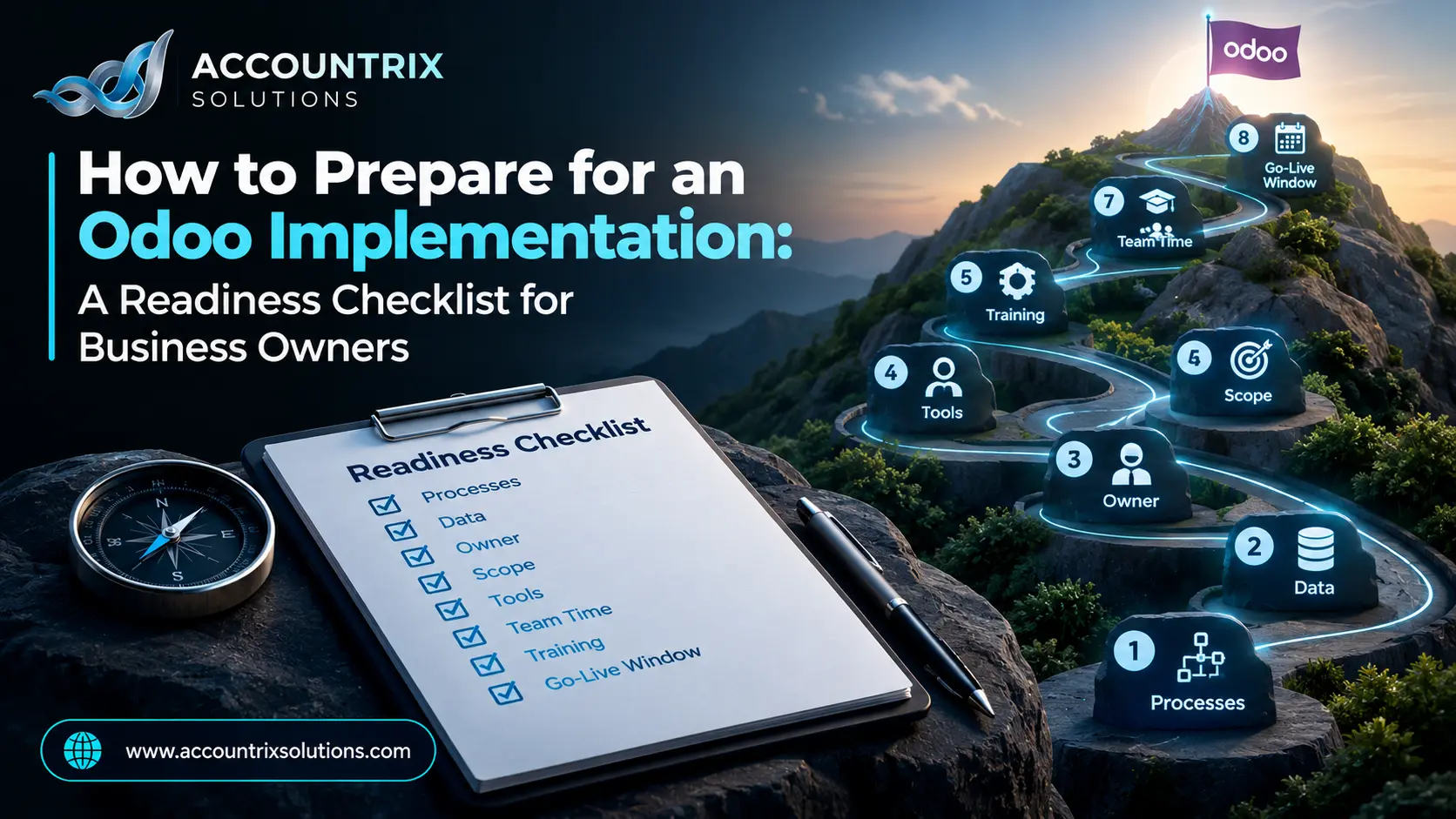
To prepare for an Odoo implementation, do eight things before the project starts: write down how your key processes work today, clean your data, name one project owner, set a scope, list the tools Odoo must work with, block your team’s time, plan the training, and choose a go-live window. Doing this work first makes the project start faster, and it gives you a clear way to judge any partner’s plan. This checklist covers each step from the business owner’s side, with a gate to pass at the end of every step and a readiness score at the end.
Why you should prepare for an Odoo implementation first
Odoo is flexible, and that is both its strength and its risk. Every setting is a decision, and your partner cannot decide how your business should work. When ERP projects struggle, the cause is rarely the software. Prosci research points to human and organizational factors, including weak change management, as a frequent reason. That is good news, because you can prepare for all of them.
When owners skip preparation, the same things happen:
- The first weeks go to interviews, because nothing is written down.
- Scope grows, because nobody agreed what “done” means.
- Messy data arrives late and breaks the first tests.
- Key people are too busy to test, so problems surface after go-live.
- Training gets squeezed into the last week.
The eight steps below fix those problems before they start:
Step 1: Write down how your business works today
Your partner will ask how you sell, buy, ship, invoice and close the month. If the answers live in people’s heads, the first weeks go to interviews instead of setup. Start with the five to ten processes that matter most. For most companies, that list looks like this:
- Quote to cash: how you sell and get paid
- Purchase to pay: how you buy and pay suppliers
- Inventory: how stock comes in, moves and goes out
- Production, if you make anything
- Month-end accounting
- HR and payroll admin, if they will be in Odoo
Use one page per process, in this layout:
Walk three real transactions through each process, from the first email to the money in the bank, and attach the real documents. The exceptions are the valuable part. They are where standard setups need decisions.
- Every core process fits on one page.
- Someone other than the author has read each page.
- You have marked what you want to keep and what you want to change.
Step 2: Clean your data before it moves
Data is the part owners underestimate. Cleaning it before the move costs far less than fixing it inside the new system. Sort each data set into one of three groups:
Active customers, vendors and products with correct details.
Duplicates, missing addresses, product codes that repeat, mixed units and spellings.
Customers who left years ago, discontinued products, and old price lists. Keep them in a file, not in Odoo.
Then check the numbers that must be right on day one:
- Open customer invoices and open vendor bills, with their due dates.
- Stock quantities, counted, and their values.
- Bank and card balances at the cutover date.
- Fixed assets, if you track them.
- Your chart of accounts, with unused accounts removed.
It helps to know how Odoo will receive the data. Odoo’s import documentation explains that you can import many record types from .xlsx or .csv files, such as contacts, products and journal entries. The import screen offers templates with the field mapping already done. They also recommend external IDs when you import from another application, so records can be matched without guessing. Give every customer, vendor and product one unique code now, and the load becomes much easier.
- Duplicates are removed and every record has a unique code.
- Open invoices, bills and stock are checked against the books.
- You know your cutover date, and who owns each data set.
Step 3: Name one project owner
An ERP project needs one person who owns it. Not a committee, and not only the IT person. The owner should know the business, have the authority to decide, and keep a standing weekly slot for the project. Name a backup, too.
The owner is one of several roles. Here is how the load usually looks:
| Role | What they do | Time load |
|---|---|---|
| Executive sponsor | Removes blockers, settles disputes, keeps the project a priority | |
| Project owner | Makes daily decisions, runs the weekly meeting, tracks the list of open questions | |
| Process owners | Review how Odoo is set up for their department and approve it | |
| Key users | Test with real examples and train their colleagues later | |
| Finance lead | Checks opening balances, taxes and reports |
- One owner is named, and the team knows it.
- The owner can approve small decisions without asking three people.
- A backup is named, and the weekly slot is in the calendar.
Step 4: Set a scope you can finish
Scope is what you will have on go-live day. Begin with goals, not features. “Close the month in five days” or “see one stock number across two warehouses” are goals you can test. Then sort every wish into one of three groups:
You cannot run the business without it on day one.
Valuable, and planned for the first months after go-live.
Nice to have. Write it down so it does not come back as a surprise.
Keep a change log from the first week. Each new request gets a note: what is it, who asked, what does it replace, and what does it cost in time. Many requests disappear when someone has to write that down.
Ask your partner to compare your processes with standard Odoo before anyone writes code. Wishes that standard Odoo cannot meet are your list of gaps, and each gap needs a business case. Custom work adds cost to every future upgrade, so it should earn its place. When a gap is real, our Odoo customization services team can scope it so it survives upgrades.
- You have two to five goals you can measure.
- Every request sits in Must, Should or Later.
- A change log exists, and one person approves changes.
Step 5: List your tools and decide what must connect
Write down every system your business uses today: spreadsheets, accounting software, your store, payment gateway, bank, shipping tool, CRM, payroll and email. Mark each one with a decision:
| Tool | Decision | Data that moves | Owner |
|---|---|---|---|
| Accounting software | Replace with Odoo | Opening balances, history | Finance lead |
| Online store | Connect to Odoo | Orders, stock, customers | Operations |
| Payroll provider | Keep separate | Journal entries | HR |
The rows are examples. Fill in your own. The “Connect” rows are the ones to plan early, because each connection is a small project of its own. If several of your tools need to talk to Odoo, our Odoo integration services team can help you pick the right method before the project starts.
Hosting and edition set the limits
Ask your partner to confirm these early, because they decide what is possible:
- Odoo Online is managed by Odoo, and Odoo’s documentation says it is not compatible with non-standard apps.
- Odoo.sh is a managed platform for teams that need custom modules, and it needs an Enterprise license.
- On-premise means you host it, with Community or Enterprise, and you carry the server work.
- Some features are Enterprise only. Odoo’s documentation says automatic bank synchronization is one of them.
- Every tool is marked replace, connect or keep.
- Each “connect” row names the data that moves and who owns it.
- You know your preferred hosting and edition, or the questions that decide it.
Step 6: Block your team’s time
ERP projects usually slip on calendars, not code. People are happy to help, but they also have full-time jobs. Before kickoff, put the project time into calendars and arrange cover for daily work. This is the rough shape of the load over a project:
| Who | Discovery | Setup | Data load | Testing | Training |
|---|---|---|---|---|---|
| Project owner | |||||
| Process owners | |||||
| Key users | |||||
| Finance lead |
More filled squares mean more time. Use it as a conversation starter, and ask your partner for the real numbers for your project. Three more habits help:
- Avoid starting in your busiest season or right before year-end.
- Check holidays and planned leave for the whole project, not only the start.
- Decide who covers each person’s daily work while they test and train.
- Project time is in the calendars of everyone named.
- Each person has cover for their daily work.
- Leave and peak periods have been checked against the plan.
Step 7: Plan the training before you need it
People do not resist a new system because they are difficult. They resist it when nobody told them why it is changing or how to do their job in it. Prosci’s ERP research puts change management and training at the center for the same reason. Plan training as part of the project, not as a last-week activity. A simple plan has three stages:
- Before go-live. Give a short demo of why you are changing, then run role-based sessions, with your own data and your own examples. Let each person practice in a test copy.
- Go-live week. Keep someone close to each team to answer questions, and collect every question in one list.
- After go-live. Hold regular office hours, and run a refresher session after the first month-end close, when people know what they do not know.
Pick a few “super users”, people others trust, and train them first. They answer the easy questions and tell you what confuses the team. Write short how-to notes for the ten tasks people do most.
- Training is planned by role, with dates and an owner.
- Super users are named for each department.
- There is a plan for the first month after go-live.
Step 8: Choose a go-live window and a cutover plan
Go-live is the moment you stop working in the old system and start in Odoo. A good window is the start of a month or fiscal period, because opening balances are cleaner. Avoid peak season and year-end. Agree on the following:
- The cutover date, and the last day anyone enters data in the old system
- A freeze on changes to scope in the last weeks
- A rehearsal of the data load on a copy before the real one
- A fallback plan if the load fails
- Read-only access to the old system for a few months, as your reference
Moving data is a project of its own, with checks on balances and open items. Our Odoo migration services team plans cutovers with a rehearsal and a balance check, so you know the numbers match before the first day.
- A cutover date is set outside peak periods.
- The data load will be rehearsed on a copy.
- A fallback plan and a read-only old system are agreed.
Your readiness score
Count the gates you can pass today. Be honest, because the score is for you.
If your score is below seven, Accountrix Solutions can go through your answers with you before you commit to a project.
Bring this checklist to your first partner call
Share these with any partner you talk to:
- One page for each core process
- A short summary of your data, and its known problems
- The name of your project owner and backup
- Your scope list, sorted into Must, Should and Later
- Your tool list with replace, connect and keep decisions
- The dates your team is available
Then ask them: how do you handle changes to scope? Who checks the data before go-live? What training is included? What do you need from my team each week? How do you test? What support do I get after go-live? A partner who answers these clearly is one you can plan with. If you want a team that works this way, our Odoo setup and implementation page explains how we run projects.
Common preparation mistakes
Dirty data found at testing time delays everything after it.
The business decides how it works. Technology supports that decision.
Look at each step first. Some exist only because of old tools.
Without a change log, scope grows quietly until go-live moves.
A squeezed training week is the most common cause of a poor first month.
Your finance team is busiest exactly when the project needs them.
Frequently asked questions
How long should I prepare before an Odoo implementation?
Prepare until you can pass the eight gates. Many small businesses need a few weeks, and larger or messier ones need longer.
What should I have ready before the first call with an Odoo partner?
One page per core process, a summary of your data and its problems, your project owner’s name, a scope list in Must, Should and Later, a list of your tools, and the dates your team is available.
Who should lead an Odoo implementation?
One project owner from the business, with authority to decide and a weekly slot reserved for the project, plus a named backup. IT can support the project, but should not be the only owner.
Do I need to clean my data before moving to Odoo?
Yes. Cleaning before the move is cheaper than fixing afterwards. Remove duplicates, standardize names and codes, deactivate old records, and verify open invoices, bills and stock.
How much of my team’s time does an Odoo implementation need?
It varies, and the load is heaviest during discovery, testing and training. The owner needs a standing weekly slot, and everyone involved needs cover for their daily work.
Should I customize Odoo during the first implementation?
Start with standard Odoo and list the gaps. Customize only with a written business case, because custom work adds cost to every future upgrade.
Can I implement Odoo myself?
A small business with simple, standard processes and a careful owner can do part of it, usually on Odoo Online. Projects with several departments, inventory, accounting rules or integrations usually benefit from an experienced partner.
Final thoughts
A good Odoo implementation starts months before the first screen is configured. Write down how you work, clean your data, name an owner, agree on scope, list your tools, block the time, plan the training and pick a window. When those eight gates are passed, the project becomes a series of decisions you are ready to make. If you would like a second opinion on your readiness, we are happy to go through your checklist with you.
Want a quick check of your readiness? Tell us which gates you have passed and where you are stuck, and we will tell you what to fix first.
Tell us where you are in your Odoo preparation


Leave a comment