
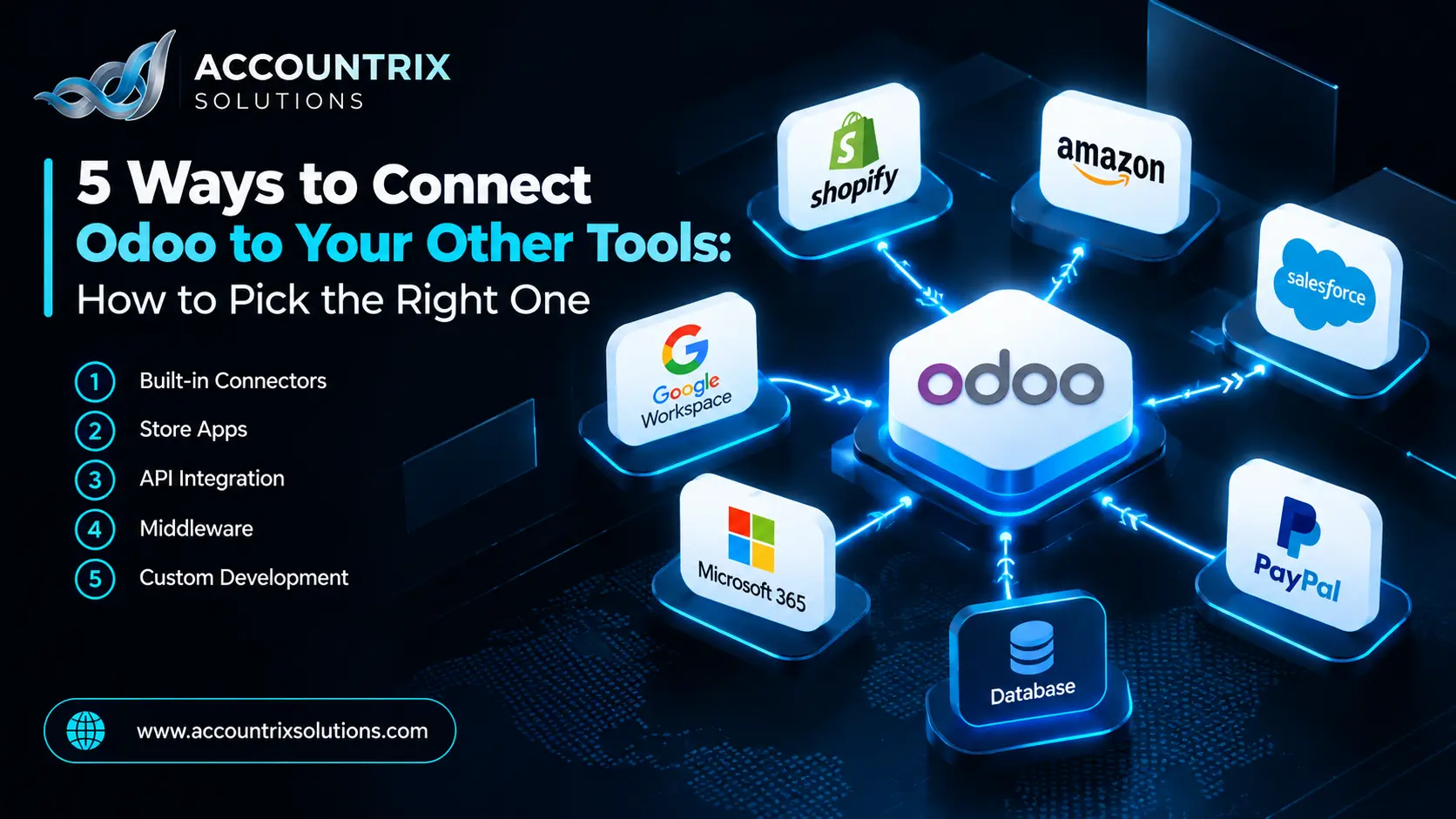
There are five ways to connect Odoo to your other tools: Odoo’s own built-in connectors, third-party connectors from the Odoo Apps store, a direct connection through Odoo’s external API, middleware tools such as Zapier, Make or n8n, and a custom integration built for your exact process. Start with the simplest one that covers your data flow, and move down the list only when it falls short. This guide explains how each way works, what it costs you in effort and risk, and when it is the right pick.
What it means to connect Odoo to other tools
An integration is a link that moves data between Odoo and another system, so nobody types the same thing twice. The system on the other side might be an online store, a payment gateway, a shipping carrier, a bank, a CRM, a payroll tool or a reporting tool.
What usually moves
- Orders and order status
- Products, prices and stock levels
- Customers and contacts
- Payments, payouts and fees
- Invoices and credit notes
- Shipping labels and tracking numbers
Three choices shape every integration
- Direction. Does data flow one way, or both ways?
- Timing. Does it move in real time through webhooks, or on a schedule?
- Master data. Which system is the source of truth for customers, products and prices?
Decide these three before you look at any tool. They matter more than the tool does.
How to connect Odoo to your other tools: the 5 ways at a glance
More dots mean better for you. This is a rough guide based on typical projects, not a measured score.
| Way | Easy to start | Flexible | Low upkeep | Low cost | Developer needed? |
|---|---|---|---|---|---|
| 1. Odoo’s built-in connectors | Rarely | ||||
| 2. Third-party apps | Sometimes | ||||
| 3. Direct API | Yes | ||||
| 4. Middleware tools | Rarely | ||||
| 5. Custom integration | Yes |
Odoo’s own built-in connectors
Odoo includes some connections itself, such as payment providers, shipping carriers, bank synchronization and an Amazon connector. Odoo’s Odoo docs on the Amazon connector say orders are fetched from Amazon and synchronized into Odoo at regular intervals, and that a Fulfilled by Merchant order creates a delivery in Inventory, together with the sales order and the customer record.
- Maintained by Odoo and upgraded with it
- Fewest moving parts
- Support comes from Odoo
- A limited list of tools
- What it syncs is fixed
- Some need Enterprise. Odoo’s docs say bank synchronization does.
- Your tool is on the list
- Your process is standard
- You want the lowest upkeep
Third-party connectors from the Odoo Apps store
The Odoo Apps store lists modules built by other companies. Each one is marked as third party and shows the Odoo versions and editions it supports. Hosting matters here. Odoo’s documentation says Odoo Online is not compatible with non-standard apps, so on Odoo Online this way is usually closed, while Odoo.sh and on-premise installations can use it.
- Quick to start
- Often a one-time license fee
- Ready-made features for popular tools
- Quality varies a lot between vendors
- Support comes from the vendor
- It needs a new version for each Odoo release
- The tool is popular and the flow is standard
- You host on Odoo.sh or on-premise
- A maintained app already exists
Check before you buy
- Does it list your exact Odoo version and edition?
- When was it last updated?
- Will the vendor publish a version for your next Odoo release?
- What does the support agreement cover?
- Can you test it on a copy of your database first?
A direct connection through Odoo’s API
Odoo has an external API, and the Odoo API docs describe how to use it. The older XML-RPC and JSON-RPC APIs are deprecated since Odoo 19.0, and the JSON-2 API is their replacement, called over HTTPS with an API key. The docs schedule the old services for removal in Odoo 22 (fall 2028), so build new connections on JSON-2 and check the current docs for your version. On Odoo Online, the docs also say external API access is only available on Custom plans, not on One App Free or Standard.
- Full access to your data
- No per-task fees
- Exactly the flow you want
- You write and maintain the code
- No built-in monitoring
- You handle errors, retries and duplicates
- You have a developer
- You need one specific flow
- The other tool has its own API
Middleware tools such as Zapier, Make and n8n
Middleware sits between Odoo and other apps and moves data through visual flows. Odoo supports this with webhooks. Its Odoo webhook docs explain that an automation rule can receive data from an outside system at a webhook URL, and that it can also send data to an external webhook when a record changes.
- Fast for simple flows
- Thousands of apps supported
- Non-developers can edit the flows
- Fees grow with the number of tasks
- Polling can mean delays
- Some Odoo connectors only create records and cannot update them
- Logic ends up in two systems
- Volume is low
- The rule is simple: “when this happens, do that”
- A mistake costs little
Good examples are a web form lead that lands in Odoo CRM, or a won deal that posts a message to your team chat. Think twice before you use middleware for flows that feed your accounts.
A custom integration
A custom integration is built for your process. It usually means a small service, or an Odoo module, that talks to Odoo and to the other system, maps the data, queues messages, retries failures and logs everything. Our Odoo integration services team builds these and keeps them monitored.
- Fits your rules exactly
- Handles high volume
- Real monitoring and logs
- Can join many systems
- Highest upfront cost
- Longest time to start
- Needs documentation and an owner
- Must be re-tested at every Odoo upgrade
- No connector fits
- The flow feeds your accounts
- Volume is high
- The mapping rules are complex
Which way should you choose?
Start at the top and stop at the first question you answer with yes.
Your hosting limits the list. On Odoo Online, store apps are usually out, and API access needs a Custom plan. If you are still planning your Odoo setup, make this choice early, because it affects hosting and edition. It is part of what our Odoo implementation services team settles in the planning stage.
What to check before you connect anything
- Write down which system owns customers, products and prices.
- Store the other system’s ID on each Odoo record, so records match without guessing.
- Decide the direction and timing of each data flow.
- Plan what happens when a message fails: retry, alert, or both.
- Turn on logging, and name a person who reads the errors.
- Use API keys with the least access needed, and rotate them.
- Test on a copy of the database before you touch live data.
- Agree on a cutover date and on who checks the first week of data.
The ID step often needs an extra field on the customer, product or order. Our Odoo customization services team adds fields like that in a way that survives upgrades.
What your accounts need from an integration
Many integration problems show up first in the books. Whatever way you choose, check these six things with whoever keeps your accounts:
- Gross sales, fees, refunds and tax arrive on separate lines.
- Payouts can be matched to the lines on your bank statement.
- Each document has one source. If the store and Odoo both create the invoice, you get duplicates.
- Invoices and payments carry clear references, which helps automatic matching.
- Sync errors are visible to someone, not hidden in a log.
- Cut-off times line up with your month-end.
Odoo’s own Amazon connector follows this idea. Its documentation describes crediting an Amazon intermediary account when the balance arrives in the bank. Our Odoo bookkeeping team reviews new connections for exactly these points in the first month.
Common mistakes when you connect Odoo to other tools
Decide direction, timing and master data first. Then pick the way.
Choose one source for invoices, orders and customers.
A sync that fails silently can run for weeks before anyone notices.
Always test on a copy first, including refunds and edits.
Connectors and API calls need a check at every new Odoo version.
Use separate keys with limited access for each connection.
When to bring in help
A simple, low-risk flow is a fair do-it-yourself job. Bring in help when the flow feeds your accounts, volume is growing, the rules have many exceptions, or an earlier connection keeps breaking. A short review of your tools and your hosting can show which of the five ways fits. If that sounds like your situation, talk to our team and we will tell you honestly which way to take.
Frequently asked questions
How do I connect Odoo to other software?
There are five ways: Odoo’s own connectors, third-party connectors from the Apps store, the external API, middleware such as Zapier, Make or n8n, and a custom integration. Start with the simplest one that covers your data flow.
Does Odoo have an API?
Yes. Odoo’s documentation describes an External JSON-2 API that uses API keys. The older XML-RPC and JSON-RPC APIs are deprecated since Odoo 19.0. On Odoo Online, the docs say external API access is only available on Custom plans.
Can I use Zapier or Make with Odoo?
Yes. Odoo automation rules can receive and send webhooks, and middleware tools can use them. Check which actions the Odoo connector supports before you commit, because some only create records and cannot update existing ones.
Can I install third-party connectors on Odoo Online?
Odoo’s documentation says Odoo Online is not compatible with non-standard apps. Store apps are therefore mainly for Odoo.sh and on-premise installations. Check the listing and the Odoo docs for your hosting type.
What is the best way to connect Odoo to an online store?
First check whether Odoo includes a connector for your store and version. If not, look at maintained third-party connectors. For complex rules, high volume or accounting-critical flows, a custom integration is usually safer.
How much does it cost to connect Odoo to another tool?
It depends on the way. Built-in connectors are part of your Odoo plan, third-party apps usually carry a license fee, middleware tools charge by usage, and custom integrations are projects scoped to your process.
How do I keep an integration working after an Odoo upgrade?
Test it on a copy of the database first, confirm that connector modules have a version for the new release, check for API changes, re-test the main flows, and keep error alerts running afterwards.
Final thoughts
Choosing how to connect Odoo to your other tools is mostly a question of risk. Use the simplest way that covers your flow, and move toward custom work only when the flow feeds your accounts, runs at volume, or has rules a ready-made tool cannot express. Decide direction, timing and master data first, test on a copy, and keep someone responsible for the errors. Do that, and the integration becomes something you stop thinking about.
Not sure which way fits your tools? Tell us what you want to connect and where Odoo is hosted, and we will point you to the right one.
Tell us which tools you want to connect


Leave a comment