• Home
  • About Us
  • Services
    Odoo Implementation

    At Accountrix Solutions, we provide reliable Odoo implementation services that align Odoo...

    Odoo Customization

    we understand that every business follows different processes and faces unique...

    Odoo Integration

    Odoo is a free ERP system with various business apps to assist with different operational needs. Powerful...

    Odoo Migration

    Looking to upgrade or switch your Odoo ERP version without losing critical data...

    Digital invoicing

    Generate, dispatch, and monitor invoices promptly – designed for enterprises...

    Odoo Bookkeeping

    Managing your finances doesn’t have to be overwhelming. Our Odoo accounting and bookkeeping...

    Quickbooks Bookkeeping

    At Accountrix Solutions, we tailor our QuickBooks bookkeeping services around your unique...

    Zoho Bookkeeping

    Balancing your finances in Zoho Books alongside managing your business can be overwhelming. That is where...

  • Blog
  • Contact Us
LEt's talk

Odoo Studio vs Custom Module: Which One Should You Use?

HomeBlogOdoo Studio vs Custom Module: Which One Should You Use?
Odoo Studio vs Custom Module
  • October 13, 2026
  • Blog
  • 4 Views

Odoo Studio vs Custom Module: Which One Should You Use?

The short answer

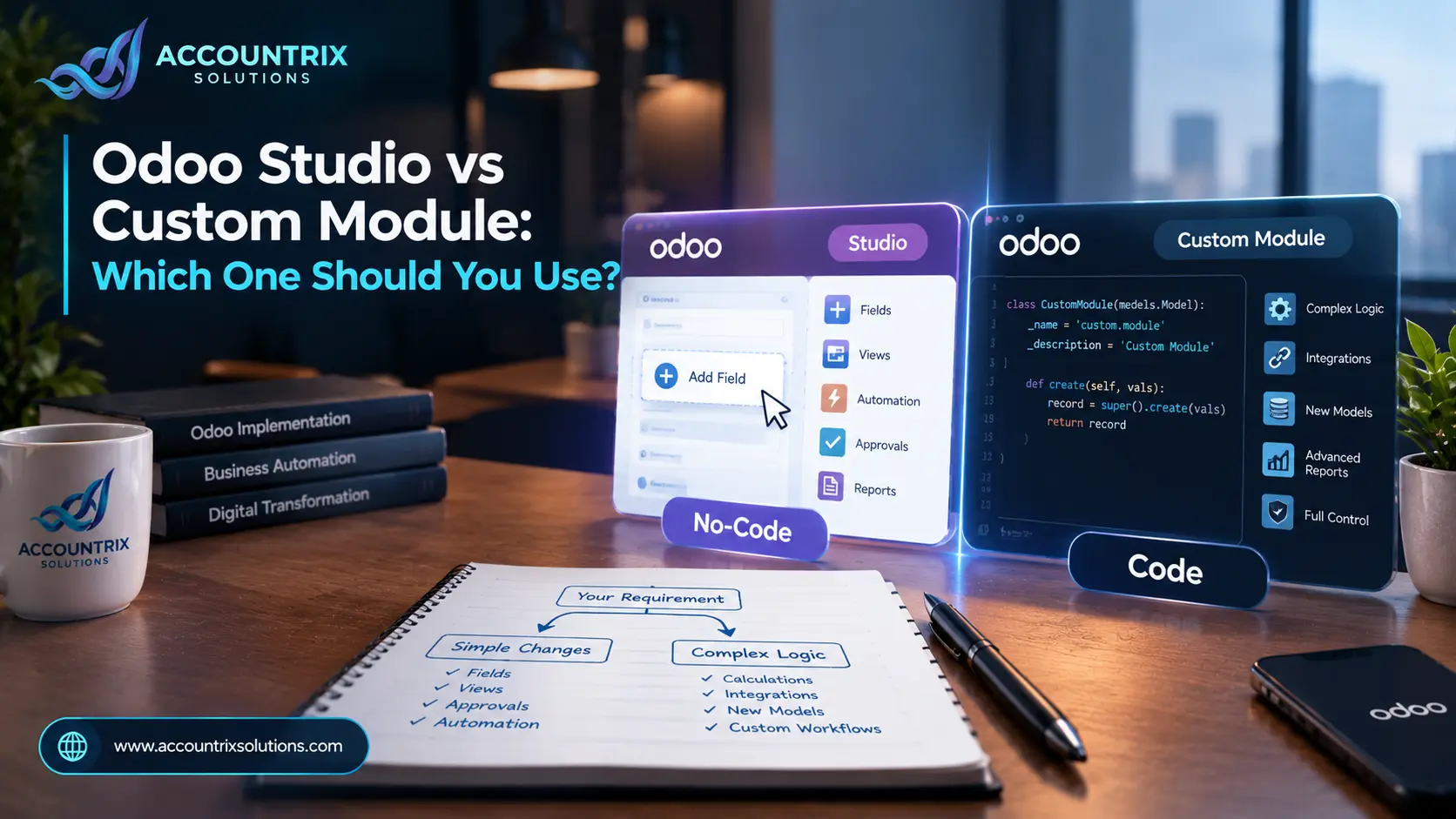
Use Odoo Studio when the change is about what people see or approve: fields, screens, simple automation rules, approvals and document layouts. Use a custom module when the change needs real logic, calculations or a two-way link with another system. Most businesses end up using both, and the skill is knowing which request goes where.

No-code

Studio fits when

  • You want to add or move fields on a form
  • You need a simple rule, like "when this happens, do that"
  • You need an approval step or a different document layout
  • You are on Odoo Online, where custom Python modules are not allowed
Code

A custom module fits when

  • The change needs calculations or conditions Studio cannot express
  • You need a two-way connection with an outside system
  • You run Community, which has no Studio
  • You want the change kept in code with a clear owner

Every Odoo project reaches the same moment. Someone asks for a change that standard Odoo does not do, and you have to decide how to build it. The Odoo Studio vs custom module choice sounds technical, but it is mostly a business decision about speed, risk and what happens at your next upgrade.

This guide explains what each option really is, compares them side by side, gives you a three-question flowchart to decide, and shows how each one behaves when you upgrade, using Odoo's own documentation as the source.

What is Odoo Studio?

Odoo Studio is a built-in toolbox that lets you customize Odoo without writing code. You open any app, click the Toggle Studio button, and change the screen you are looking at. According to Odoo's Studio documentation, you can add or modify:

FieldsViewsModelsAutomation rulesWebhooksPDF reportsApproval rulesSecurity rules

You can also build a small app from scratch. Studio is part of Odoo Enterprise and is not available in Community, so confirm that your plan includes it before you rely on it.

The big advantage is speed. A trained admin or consultant can make a change in an afternoon, and nobody needs a code repository. The limit is depth. Studio handles changes you can describe as add, show, hide, approve, notify or print. It does not replace a developer once the logic gets complicated.

Studio changes can also be exported as a module and imported into another database, which is handy when you move work from a test copy to production. The destination database needs the same Odoo version and the same apps installed, and Odoo documents the export and import steps.

If you are still setting Odoo up, get the standard configuration right first through proper Odoo implementation services. Many customization requests disappear once the settings are correct, and Studio then has far less to do.

What is a custom module in Odoo?

Odoo's own definition is simple. A custom module is any module that extends the standard code of Odoo and was not built with the Studio app, as the guide to upgrading a customized database puts it. In practice it is code, written in Python and XML, stored in a repository and installed alongside standard Odoo.

That code can do almost anything: new data models with complex rules, calculations that depend on many records, scheduled jobs, new screens and connections to other systems. The price of that freedom is ownership. Someone has to maintain the code, test it on every new Odoo version, and fix it when something changes.

Connections to other systems deserve special care. A one-off script that talks to a store, courier or payment tool tends to break at the next upgrade, while a planned connection built through Odoo integration services is designed to survive it.

Where you can use one also depends on hosting. Odoo states that installing custom modules containing Python files is not allowed on Odoo Online databases. Odoo.sh and on-premise installations do allow them.

Odoo Studio vs custom module: what is the difference?

The table below shows where each option fits. Read it as a guide rather than a rulebook, because details shift between Odoo versions.

What you need
Studio
Custom module
Add or change fields and form layouts
Rearrange list, kanban and search views
Simple automation rules
"When X happens, do Y"
Approval rules
PDF report layouts
Studio edits existing reports
Webhooks
Send data out when something happens
New models and small apps
Studio suits simple, data-entry style apps
Complex business logic and calculations
Python by design
Two-way links with outside systems
Studio can send data out, not run a full connector
Works on Odoo Online
Python modules are not allowed there
Works on Odoo Community
Studio is Enterprise only
Covered by Odoo's upgrade service
Studio while active, modules only with a maintenance contract
Fits well    Limited or depends    Not the right tool

Which options does your setup allow?

Your hosting and edition decide what is even possible, so check this before you plan anything. Here is how the common setups line up.

Odoo Online
Studio
Available if your plan includes it.
Custom modules
Not allowed. Odoo states that Python modules cannot be installed on Odoo Online.
Odoo.sh
Studio
Available with Enterprise, if your plan includes it.
Custom modules
Allowed, and the platform is integrated with Odoo's upgrade tools.
On-premise Enterprise
Studio
Available if your license includes it.
Custom modules
Allowed. You manage the code and the upgrade work yourself.
Community, self-hosted
Studio
Not available.
Custom modules
The main way to customize.

If you are not sure which setup you run, ask your host, or have a partner who provides Odoo customization services confirm it before you plan any work. The answer decides which options are even on the table.

How do you choose? A three-question flowchart

Run every change request through these questions in order. Stop at the first yes.

Question 1
Can a standard Odoo setting already do it?
YES →
Use the setting. No customization needed.
NO
Question 2
Is it about fields, layout, simple rules, approvals or a document layout?
YES →
Use Studio, if your edition includes it.
NO
Question 3
Does it need real logic, complex calculations or a two-way link to another system?
YES →
Build a custom module.
NO
If every answer was no
Pause. It is often a process question, not a software one. Talk to the people doing the work before building anything.

If you land on the Studio answer but run Community, the same request becomes a small custom module instead. The flowchart tells you the right type of change. Your edition tells you how to build it.

Real requests and the best fit

Here is how the flowchart plays out on requests we see all the time.

Add a customer PO number to quotes and invoices
Studio
It is a field and a view change.
Ask a manager to approve purchase orders above a set amount
Studio
Approval rules are built in.
Change the layout of the invoice PDF
Studio
Studio can edit PDF reports.
Track equipment loans with a few simple fields
Studio
A small data-entry app is within reach.
Calculate tiered sales commission across quotes, returns and targets
Custom module
It needs real logic and many records.
Send order data to a courier system and print labels back in Odoo
Custom module
It is a two-way link with an outside system.

The pattern is easy to spot. Presentation and simple rules go to Studio. Logic and other systems go to code. One more check applies to both: the commission example touches money, so an accountant should review it before go-live. Our Odoo bookkeeping team does this kind of review, because a wrong account in a custom rule can quietly distort your reports for months.

What happens to each one at upgrade time?

This is where the choice really shows up. For databases on Odoo Enterprise, Odoo's upgrade documentation says the upgrade service covers customizations created with Studio, as long as Studio is still installed and the subscription is active. Custom modules are treated differently. Modules created in-house or by third parties are not covered, unless they fall under a maintenance of customizations subscription.

Studio customizations

  • Covered by Odoo's upgrade service while Studio stays installed and the subscription is active
  • Still need testing, especially reports and automation rules
  • Can be exported as a module if you need a copy
VS

Custom modules

  • Not covered unless you hold a maintenance contract
  • Must exist for the target version before the database can be upgraded
  • Need a developer who knows the code

That second rule catches people out. If your database contains custom modules, it cannot be upgraded until a version of those modules exists for the target version. That makes custom code the critical path on most upgrade projects, and it is the main reason to keep the number of modules small.

Studio is easier at upgrade time, but it is not a free pass. Always test the upgraded copy before you touch production. If an upgrade is on your calendar, start with an inventory of every customization, and bring in Odoo migration services early so Studio changes and custom code are audited together.

The cost you do not see on day one

A custom module often looks cheap at the start, because the build is a single quote. The real cost is spread across every upgrade and every change of staff. Studio flips that picture. It can look more limited, but it usually costs less to carry. Here is how the two compare across the life of a customization.

Build
Test
Upgrade
Maintain
Studio
Quick. An admin or consultant works on screen.
Check on a test copy before production.
Covered by Odoo's upgrade service while Studio stays active.
Keep a written list of changes so small edits do not pile up.
Custom module
Needs a developer and a code repository.
Needs testing again on every new version.
Must be ported to the target version first.
Needs an owner who understands the code.

The hybrid approach most businesses end up with

You rarely have to pick one forever. A sensible setup uses both, with clear rules about which goes where.

Rule 1
Configure before you customize
Check standard settings first. Many requests are already covered.
Rule 2
Use Studio for what people see
Fields, layouts, approvals, simple rules and document layouts belong here.
Rule 3
Use modules for real logic
Keep code for calculations, complex rules and integrations.
Rule 4
Keep a register
Write down every customization, who owns it and why it exists.
Rule 5
Review at every upgrade
Each new version may cover what you built by hand. Retire what you no longer need.

A register does not need to be fancy. A shared sheet with six columns is enough:

  • The name of the customization
  • Its type, Studio or custom module
  • The business reason it exists
  • The person who owns it
  • Anything it depends on, such as another module or an outside system
  • The Odoo version you last tested it on

Mistakes that make customizations expensive

  • Customizing before configuring. A setting you never opened often does the job.
  • Hiding logic inside Studio. A long Python action inside an automation rule is custom code with no repository and no owner.
  • Building a module for a simple field. You pay for code, testing and upgrades just to show one extra box.
  • No owner and no record. Six months later nobody knows why a change exists, so nobody dares remove it.
  • Skipping the review at upgrade time. New versions often cover what you built by hand.

When it makes sense to bring in help

A good partner does two things before writing any code. They check whether standard Odoo already covers the need, and they decide whether Studio or a module is the better fit. That review costs far less than building the wrong thing.

Whoever you work with, ask these four questions before any build starts:

  • Does standard Odoo already cover this?
  • Why Studio, or why a module, for this request?
  • Who owns it after go-live?
  • What happens to it at the next upgrade?

If the answers are vague, slow down. A short conversation now saves a long project later.

Frequently asked questions

Can I use Odoo Studio on Odoo Community?

No. Studio is part of Odoo Enterprise. On Community, customization is done with custom modules.

Can I install custom modules on Odoo Online?

No. Odoo states that installing custom modules containing Python files is not allowed on Odoo Online databases. Odoo.sh and on-premise installations support them.

Does Odoo Studio write code?

Studio works through a visual interface, so you do not write code. An automation rule can run Python, though, and anything like that should be treated as custom code.

Will my Studio customizations survive an upgrade?

Odoo says its upgrade service covers them as long as Studio is still installed and the subscription is active. You should still test the upgraded copy before production.

Can I move Studio changes to another database?

Yes. Studio can export your customizations as a module that you import into another database, as Odoo's Studio documentation describes.

Which one is cheaper?

Studio changes are usually quicker to build and cheaper to carry through upgrades. A custom module costs more to build and maintain, but it does things Studio cannot. The cheapest option is the one that fits the request.

Can I use both in the same database?

Yes, and most businesses do. Keep a register of what lives where so upgrades stay predictable.

Final thoughts

The Odoo Studio vs custom module decision is rarely about which tool is better. It is about matching the request to the right tool, and remembering that every customization has to survive the next upgrade. Start with standard settings, use Studio for what people see, use code for real logic, and keep a record of all of it.

If you want a second opinion on a customization you are planning, talk to the team at Accountrix Solutions. We will tell you honestly whether Studio, a module or no customization at all is the right answer.

Talk to our team about your Odoo customization →

Leave a comment Cancel reply

Top Category

  • Blog (12)

Recent Posts

Bookkeeping vs Accounting
October 14, 2026

Bookkeeping vs Accounting: Which Does Your Business Need?

Monthly Bookkeeping Checklist for Small Businesses
October 13, 2026

Monthly Bookkeeping Checklist for Small Businesses: Monthly, Quarterly and Year-End

Odoo Studio vs Custom Module
October 13, 2026

Odoo Studio vs Custom Module: Which One Should You Use?

Popular Tag

Odoo Upgrade Odoo

Related Articles

Bookkeeping vs Accounting: Which Does Your Business Need?

  • Blog
  • October 14, 2026
  • 3 Views
Bookkeeping vs Accounting

Monthly Bookkeeping Checklist for Small Businesses: Monthly, Quarterly and Year-End

  • Blog
  • October 13, 2026
  • 3 Views
Monthly Bookkeeping Checklist for Small Businesses

Odoo 17 End of Support: How to Upgrade Without Breaking Your Customizations

  • Blog
  • October 9, 2026
  • 5 Views
Odoo 17 End of Support

ACCOUNTRIX SOLUTIONS

Transforming workflows with tailored digital and accounting solutions.

Know More
Contact US

Get Started

  • Home
  • About Us
  • Blog
  • Contact

Odoo Services

  • Odoo Implementation
  • Odoo Customization
  • Odoo Integration
  • Odoo Migration

Bookkeeping Services

  • Digital invoicing
  • Odoo Bookkeeping
  • Quickbooks Bookkeeping
  • Zoho Bookkeeping

© 2026 All Rights Reserved | Designed by Ruman

Facebook Twitter Google-plus