• Home
  • About Us
  • Services
    Odoo Implementation

    At Accountrix Solutions, we provide reliable Odoo implementation services that align Odoo...

    Odoo Customization

    we understand that every business follows different processes and faces unique...

    Odoo Integration

    Odoo is a free ERP system with various business apps to assist with different operational needs. Powerful...

    Odoo Migration

    Looking to upgrade or switch your Odoo ERP version without losing critical data...

    Digital invoicing

    Generate, dispatch, and monitor invoices promptly – designed for enterprises...

    Odoo Bookkeeping

    Managing your finances doesn’t have to be overwhelming. Our Odoo accounting and bookkeeping...

    Quickbooks Bookkeeping

    At Accountrix Solutions, we tailor our QuickBooks bookkeeping services around your unique...

    Zoho Bookkeeping

    Balancing your finances in Zoho Books alongside managing your business can be overwhelming. That is where...

  • Blog
  • Contact Us
LEt's talk

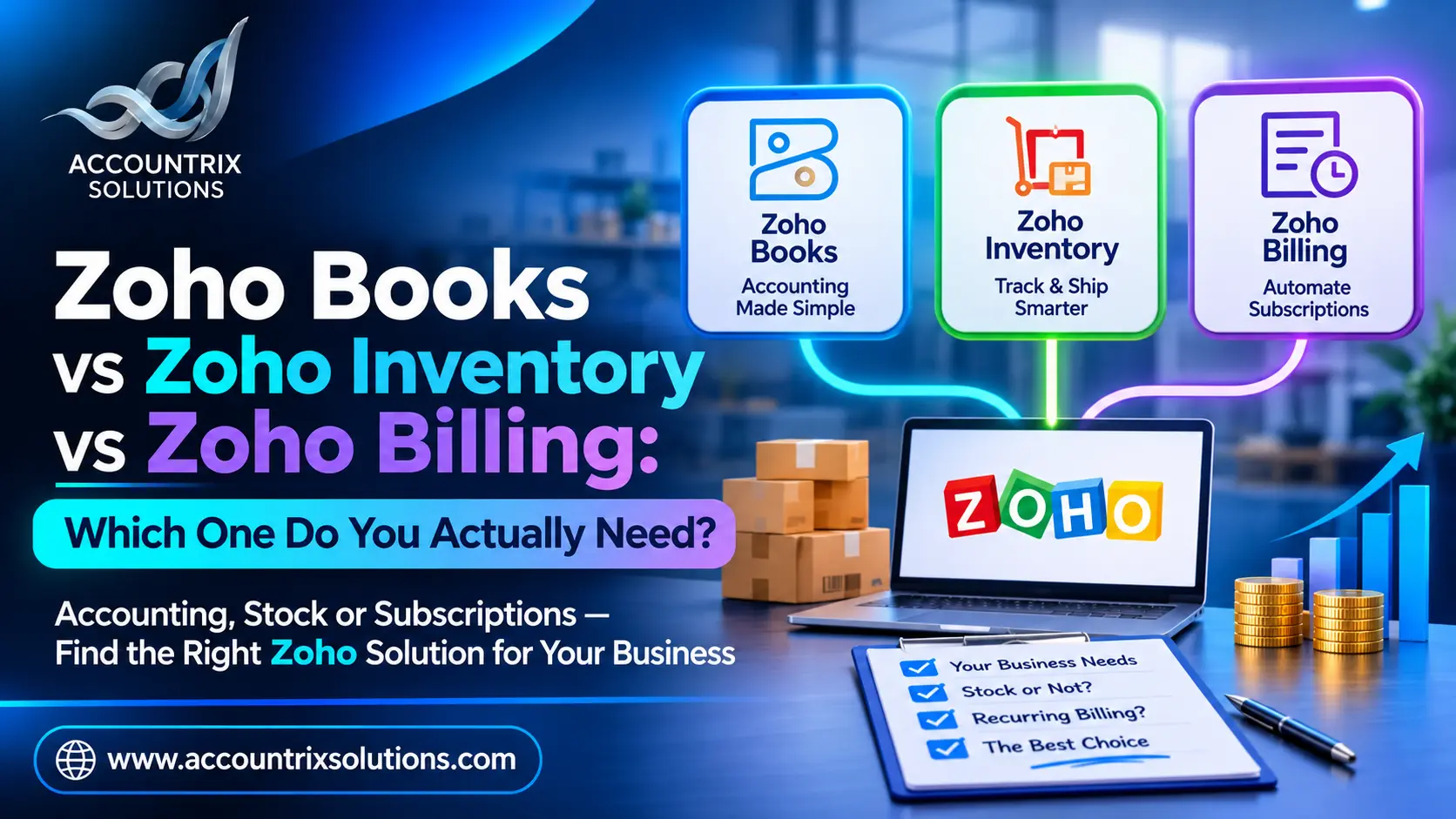
Zoho Books vs Zoho Inventory vs Zoho Billing: Which One Do You Actually Need?

HomeBlogZoho Books vs Zoho Inventory vs Zoho Billing: Which One Do You Actually Need?
Zoho Books vs Zoho Inventory vs Zoho Billing
  • November 6, 2026
  • Blog
  • 6 Views

Zoho Books vs Zoho Inventory vs Zoho Billing: Which One Do You Actually Need?

Most small businesses need only Zoho Books. Add Zoho Inventory when stock, warehouses and shipping become more than Zoho Books can handle on its own, and add Zoho Billing when recurring or subscription billing needs its own automation. Zoho Books is the accounting system, and the other two connect to it. That is the whole decision in short, and the rest of this guide shows how to test it against your own business.

Choosing between Zoho Books vs Zoho Inventory vs Zoho Billing is confusing because the three overlap. All of them can send an invoice, and two of them can track stock. If you want a second opinion before you commit, our Zoho Books bookkeeping services team looks at how a business invoices, buys and ships, and recommends the smallest setup that works.

The rule of thumb: start with Books. Move to Books plus Inventory if you ship physical goods from several places. Move to Books plus Billing if customers pay on a schedule. Use all three only if you do both.

How the three fit together

Zoho InventoryStock, orders, warehouses, shipping
Zoho BillingSubscriptions, reminders, recurring revenue
Zoho BooksThe ledger: invoices, bills, banking, tax, financial statements

Zoho describes Books as a full online accounting solution that covers the whole accounting cycle: invoices, expenses, vendor bills, bank reconciliation, inventory and tax compliance. It also says Books includes all the billing features of Zoho Billing. The other two products sit on top of that foundation for specific jobs.

What each one is for

Zoho Books

Pick it when you need real accounting.

  • Invoices, bills and payments
  • Bank feeds and reconciliation
  • Sales tax and financial statements
  • Basic stock tracking

Zoho Inventory

Pick it when physical goods are your problem.

  • Several warehouses
  • Back orders and composite items
  • Shipping carrier integrations
  • Order fulfilment from start to finish

Zoho Billing

Pick it when billing itself is the job.

  • Subscriptions and recurring charges
  • Dunning and payment reminders
  • Milestone or project billing
  • MRR, ARR and deferred revenue reports

Zoho Billing was formerly called Zoho Subscriptions, so older articles may use that name. Zoho’s own comparison says Billing is built for businesses that need advanced billing automation that goes past standard invoicing.

Side by side

What you needZoho BooksZoho InventoryZoho Billing
One-off invoicesYesYesYes
Subscription billing and dunningBasic recurring invoicesNot its focusYes, core feature
MRR and ARR reportingZoho lists these under BillingNot its focusYes
Bank reconciliation and tax complianceYesThrough BooksThrough Books
Financial statements (P&L, balance sheet)YesThrough BooksThrough Books
Stock levels and reorder pointsYes, basicYes, advancedNot its focus
Warehouses, packages and shipmentsWith the Inventory add-onYes, nativeNot its focus
Shipping carrier integrationsWith the Inventory add-onYesNot its focus

Read the Books column in “Basic recurring invoices” as the honest answer: Books handles recurring invoices, but it does not offer the dunning, consolidated billing or subscription revenue reports that Zoho lists for Billing. If your customers pay once per job, you will never miss them.

Do you need Zoho Inventory?

Zoho’s documentation says Books already lets you track stock, set a preferred vendor, set reorder points and adjust inventory. For a business with one stockroom and a simple product list, that is often enough. Add Zoho Inventory when you see these signs:

  • You hold stock in more than one warehouse and need to choose where an order ships from.
  • You sell kits, bundles or assembled products, which Zoho calls composite items.
  • You need packages, picklists and shipments, with carrier rates and tracking.
  • Customers order stock you do not have yet, so you need back orders.
  • You track serial or batch numbers on products.

Two ways to get advanced inventory

  1. Connect Zoho Inventory to Zoho Books. Zoho says settings, contacts, items, sales orders, purchase orders, bills and common reports sync between them, and new operations in one appear in the other.
  2. Turn on the Inventory add-on inside Books. It brings Item Groups, Composite Items, Packages, Picklists, Shipments, Purchase Receives, Sales Returns and Transfer Orders into Books. It requires a paid Inventory subscription as well as a paid Books plan. If you are on the Elite or Ultimate Books plan, Zoho says advanced inventory is part of your plan.

One catch: when items are imported from Books into Inventory, only items with inventory tracking turned on are synced. Ordinary sales and purchase items are not. Decide which items you track as stock before you connect the two.

Do you need Zoho Billing?

Ask how your customers pay. If they pay once for each job, Books is plenty. Zoho’s own guide describes Billing as a dedicated billing automation platform that supports one-time, subscription and milestone billing, plus dunning, consolidated billing and workflows. The signs that you need it:

  • Customers pay monthly or yearly by plan, and plans change, pause or upgrade.
  • You chase late payments by hand every week.
  • Your finance team wants MRR, ARR, and recognized against deferred revenue.
  • You bill by milestone, with several stages per project.

Zoho’s comparison, titled Zoho Billing vs. Zoho Books: which one should I choose?, gives three paths. Choose Billing to automate billing and collect payment under any model. Choose Books for full accounting. Choose both when you need billing automation and full accounting, because Zoho says they sync customers, invoices, payments and revenue recognition automatically.

Which one for which business?

Consultant or freelancerBills per job, no stock, few customers.
Books
Shop with one stockroomTracks stock, reorders from a few suppliers.
Books, basic inventory
Online seller shipping from several warehousesNeeds packages, carriers and back orders.
Books + Inventory
Software or membership businessPlans, renewals, failed payments, churn.
Books + Billing
Agency with monthly retainersFixed fees, a handful of clients.
Books first, Billing when chasing payments becomes a chore
Distributor selling goods and service plansStock in several places and recurring service contracts.
All three

A business that begins as a consultant and grows into a seller of goods does not need to switch. Zoho Inventory’s documentation shows you can join an existing Books organization later, so you can start small and add an app when the need is real.

How one sale travels in each setup

The easiest way to feel the difference is to follow a single order through each setup.

Books only

  1. The customer orders.
  2. You create the invoice in Books.
  3. The payment arrives, and the bank feed helps you match it.
  4. If the item has inventory tracking, stock drops automatically.

Books + Inventory

  1. The order becomes a sales order.
  2. Inventory picks the warehouse, packs and ships it.
  3. The invoice and the stock movement sync to Books.
  4. Books shows the cost of goods and the inventory asset.

Books + Billing

  1. The customer picks a plan.
  2. Billing creates invoices on the schedule.
  3. Reminders chase unpaid ones.
  4. Invoices, payments and revenue recognition sync to Books.

Zoho’s Inventory documentation notes that an inventory item is tied to three accounts by default: Sales, Cost of Goods Sold and Inventory Asset. That is why the accounting side stays tidy when stock moves, as long as Books is the place where those accounts live.

Keep one source for each document

The real danger in a multi-app setup is not cost. It is two apps creating the same record. Zoho itself warns that running billing and accounting in two applications can lead to inconsistencies, which is why the apps are designed to sync.

Our rule: pick one app that creates each kind of document. Invoices from one place, sales orders from one place, bills from one place. The other apps read and show them. If two people create invoices in two apps, your receivables will not match at month end.

Books has to be set up properly first, because every other app feeds into it. Our Zoho Books setup checklist for US businesses covers the chart of accounts, taxes, bank feeds and user roles that the other apps will rely on.

Six questions to ask before you pick

  1. Do we hold stock in more than one place?
  2. Do we ship with carriers, and need rates and tracking on the order?
  3. Do customers pay on a schedule, and do plans change?
  4. How many hours a week does someone spend chasing late payments?
  5. Does our accountant need full financial statements from the same system?
  6. Who will own the connection between the apps when something stops syncing?

If you answer yes to none of the first four, you almost certainly need Books alone. If you answer yes to the first two, look at Inventory. If you answer yes to the third and fourth, look at Billing. The last two questions matter for every case, because an app nobody owns becomes the one that breaks.

When to revisit your choice

  • Your product count or order volume doubles. Basic stock tracking that was fine last year may now be slowing people down.
  • You launch a plan, membership or retainer. A new way of charging is a good moment to check whether recurring invoices still cover it.
  • Month-end takes longer each time. It often means two places hold the same data.

What your accountant will care about

Whichever apps you choose, your accountant wants one ledger they can trust. In practice that means three things. First, inventory value and cost of goods must land in Books, because that is where the balance sheet and profit and loss are built. Second, if you bill subscriptions, revenue recognition and payments must reach Books too, so deferred and recognized revenue match what you report. Third, every sync should be checkable. Pick a day each month to compare receivables, payables and stock value between the apps and Books. When all three agree, the setup is sound.

The cost question

You pay a subscription for each app you add, and Zoho lists different plan levels for each one. Before you commit, add up three things: the subscriptions, the time to maintain each connection, and the cost of mistakes if documents get duplicated. A cheaper app that causes monthly clean-ups is not cheaper. Check each product’s current pricing page, because plans and limits change.

Five mistakes to avoid

  1. Buying Inventory because you sell products. Many product sellers are fine on Books with basic tracking.
  2. Buying Billing because you send invoices. Invoicing alone is already in Books.
  3. Running two apps without a sync plan. Decide what syncs and who creates what before you start.
  4. Importing every item into Inventory. Only items with inventory tracking will sync, so mark them first.
  5. Skipping the Books setup. If the chart of accounts is wrong, every app that feeds it inherits the problem.

If you are leaving another system and comparing options, for example because you already use Zoho CRM, our guide on choosing between Zoho Books and QuickBooks covers that decision first.

Zoho Books, Inventory and Billing FAQ

Do I need Zoho Inventory if I have Zoho Books?

Not always. Zoho Books already tracks stock, reorder points and adjustments. Add Zoho Inventory when you need warehouses, shipping, composite items or back orders.

Is Zoho Billing the same as Zoho Subscriptions?

Zoho Billing is the newer name for Zoho Subscriptions. It handles subscription, one-time and milestone billing.

Can Zoho Books handle recurring invoices?

Yes, for regular repeat billing. For subscription plans, dunning and MRR reports, Zoho points to Zoho Billing.

Can I use Zoho Billing and Zoho Books together?

Yes. Zoho says they sync customers, invoices, payments and revenue recognition, so records stay aligned.

Which Zoho Books plan includes advanced inventory?

Zoho says Advanced Inventory is part of the Elite and Ultimate Books plans. On other plans, you can enable the Inventory add-on if you also have a paid Zoho Inventory account.

Do all items sync between Zoho Books and Zoho Inventory?

No. When importing from Books, only items with inventory tracking turned on are synced.

Final thoughts

The question is never which Zoho app is best. It is which job you need done. Start with Books for the accounts, add Inventory when stock becomes complicated, and add Billing when charging customers on a schedule takes up your week. Keep one place for each kind of document, and the three apps will work as one system.

Not sure which setup fits? Tell us how you sell, ship and invoice, and we will tell you the smallest Zoho setup that covers it.

Talk to us about your Zoho setup

Leave a comment Cancel reply

Top Category

  • Blog (43)

Recent Posts

Zoho Books vs Zoho Inventory vs Zoho Billing
November 6, 2026

Zoho Books vs Zoho Inventory vs Zoho Billing: Which One Do You Actually Need?

QuickBooks Multi State Sales Tax
November 25, 2026

QuickBooks Multi State Sales Tax Online: Nexus, Rates and Filing Setup

QuickBooks Online Classes vs Locations
November 5, 2026

QuickBooks Online Classes vs Locations: When to Use, & When Not to

Popular Tag

Odoo Upgrade Odoo

Related Articles

QuickBooks Multi State Sales Tax Online: Nexus, Rates and Filing Setup

  • Blog
  • November 25, 2026
  • 5 Views
QuickBooks Multi State Sales Tax

Odoo Fixed Assets and Depreciation: Setup, Models and Disposals

  • Blog
  • November 24, 2026
  • 5 Views
Odoo Fixed Assets

Odoo Timesheet Invoicing: How to Bill Clients by the Hour Without Spreadsheets

  • Blog
  • November 23, 2026
  • 7 Views
Odoo Timesheet Invoicing

ACCOUNTRIX SOLUTIONS

Transforming workflows with tailored digital and accounting solutions.

Know More
Contact US

Get Started

  • Home
  • About Us
  • Blog
  • Contact

Odoo Services

  • Odoo Implementation
  • Odoo Customization
  • Odoo Integration
  • Odoo Migration

Bookkeeping Services

  • Digital invoicing
  • Odoo Bookkeeping
  • Quickbooks Bookkeeping
  • Zoho Bookkeeping

© 2026 All Rights Reserved | Designed by Ruman

Facebook Twitter Google-plus