• Home
  • About Us
  • Services
    Odoo Implementation

    At Accountrix Solutions, we provide reliable Odoo implementation services that align Odoo...

    Odoo Customization

    we understand that every business follows different processes and faces unique...

    Odoo Integration

    Odoo is a free ERP system with various business apps to assist with different operational needs. Powerful...

    Odoo Migration

    Looking to upgrade or switch your Odoo ERP version without losing critical data...

    Digital invoicing

    Generate, dispatch, and monitor invoices promptly – designed for enterprises...

    Odoo Bookkeeping

    Managing your finances doesn’t have to be overwhelming. Our Odoo accounting and bookkeeping...

    Quickbooks Bookkeeping

    At Accountrix Solutions, we tailor our QuickBooks bookkeeping services around your unique...

    Zoho Bookkeeping

    Balancing your finances in Zoho Books alongside managing your business can be overwhelming. That is where...

  • Blog
  • Contact Us
LEt's talk

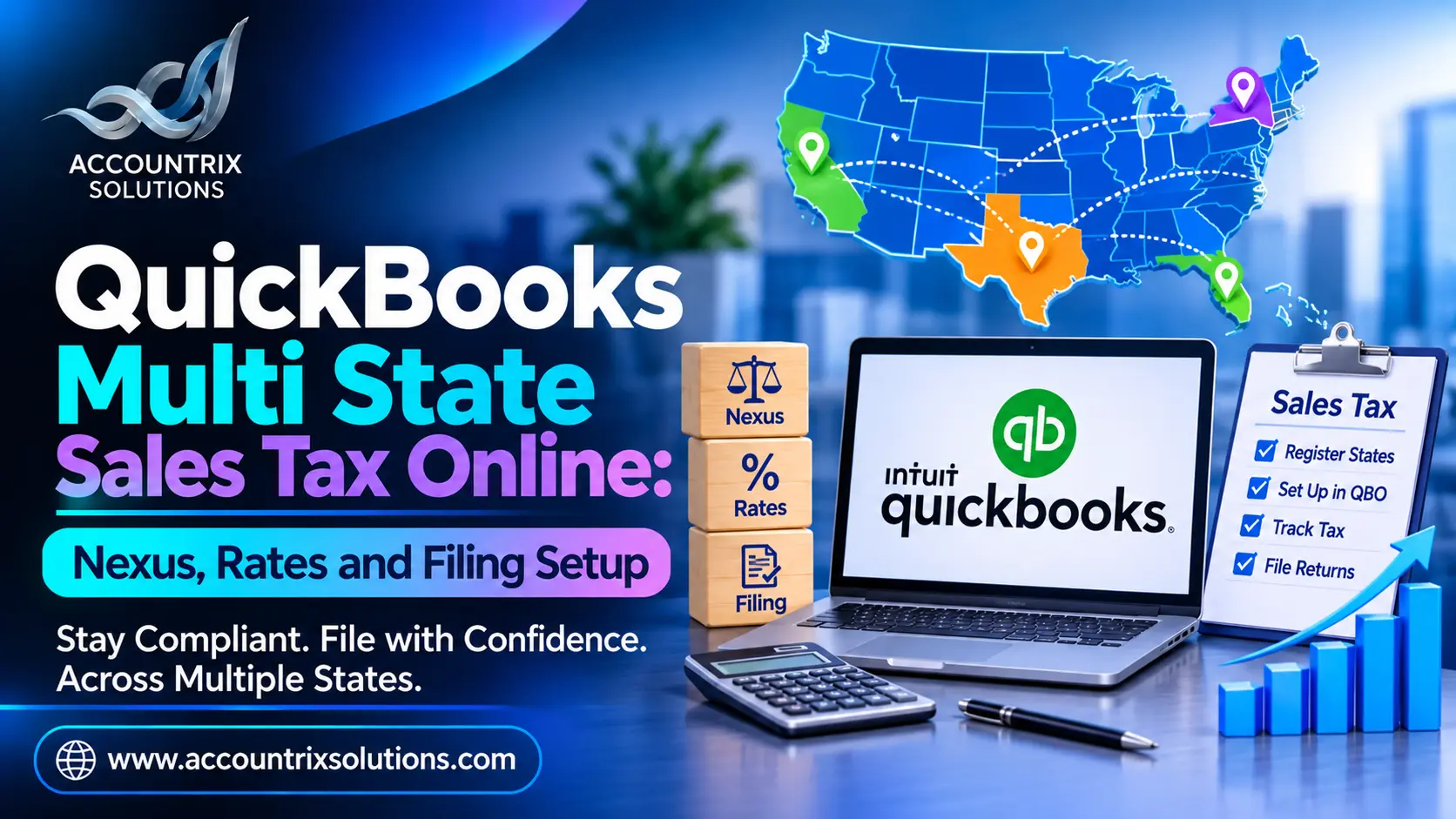
QuickBooks Multi State Sales Tax Online: Nexus, Rates and Filing Setup

HomeBlogQuickBooks Multi State Sales Tax Online: Nexus, Rates and Filing Setup
QuickBooks Multi State Sales Tax
  • November 25, 2026
  • Blog
  • 6 Views

QuickBooks Multi State Sales Tax Online: Nexus, Rates and Filing Setup

SHORT ANSWER

To handle QuickBooks multi state sales tax, you first confirm where you have nexus, register with each of those states, and only then add the state and its tax agency in the Sales Tax Center. QuickBooks Online keeps track of state tax laws, calculates the tax on each sale and tracks what you owe each agency. It does not decide where you must collect. That decision, and the state registration, stay with you.

If you sell across state lines, this is one of the first compliance jobs that gets out of hand. This guide covers QuickBooks multi state sales tax from start to finish, including nexus, rates, setup and filing in QuickBooks Online, using Intuit's own help pages as the base. Tax rules differ by state, so treat every step as a starting point and check your state's tax agency for the final word.

What is sales tax nexus, and when do you have it in more than one state?

Intuit describes nexus as a legal connection between your business and a state that creates sales tax obligations. Once you have nexus, you must collect sales tax from customers in that state and pay it to that state's tax agency. There are two common ways to create it.

Physical nexus
You have something real in the state, such as an office, a warehouse, stock or staff. This is the older, simpler test.
Economic nexus
You have no physical presence, but your sales into the state pass its threshold. After the 2018 Supreme Court ruling in South Dakota v. Wayfair, states can require remote sellers to collect tax on this basis.

The thresholds are set by each state, and they use different measures. That is why one seller can owe tax in a state after a few big orders, while another selling the same total across many states owes nothing anywhere.

Do you have a physical presence in the state?
YES
You likely have nexus. Register before you collect.
NO
Check the economic test next.
Do your sales into the state pass its threshold?
YES
You likely have economic nexus. Register, then add the agency.
NO
Keep monitoring. Sales grow, and so does your exposure.
Do you sell through a marketplace?
YES
Some marketplaces collect tax for you in some states. Confirm the rule for each state and each channel.
NO
You are responsible for your own collection.

How do you check nexus inside QuickBooks Online?

QuickBooks Online has a page for this. It shows your sales activity by state so you can compare it with each state's threshold. You find it here.

All apps>Sales Tax>Economic nexus

The next steps matter more than the page itself. Once you spot an obligation, you register with the state. Then you add the agency in QuickBooks, and only then does it begin to collect on your sales. Intuit explains the process in its nexus guide.

Treat the page as an early warning, not a legal opinion. If your numbers sit close to a threshold, ask your accountant or the state agency before you make a call. Waiting until you are well past the line usually means back taxes.

What should you do before adding a state in QuickBooks?

Intuit gives a clear warning here. Add tax agencies only after your state registration is final, because all sales tax collected from customers must be paid to the matching agency by law. Collecting without registering is the mistake that causes real trouble. Run through this list first.

You have a sales tax permit for the state
You know the filing frequency the state assigned to you
You know the date you must start collecting
You know which of your products or services are taxable there
You have a plan for customers who are tax exempt

How do you set up multi state sales tax in QuickBooks Online?

1
Turn on automated sales tax
Go to All apps, then Sales Tax, then Overview. When you first set it up, you tell QuickBooks where your business operates. This sets your home state.
2
Add each new state
In the sales tax settings, add the agency for the new state. Choose its filing frequency, enter the start date and save.
3
Map your products
QuickBooks uses the tax category on each product to decide if it is taxable. Check that every item is mapped correctly, especially services and shipping.
4
Check customer details
Keep the shipping address on each customer accurate and mark exempt customers. QuickBooks uses these to find the location of sale.
5
Test one invoice per state
Create a test invoice for a customer in each state and compare the tax with what the state agency expects.

How does QuickBooks decide which rate to charge?

Intuit explains that QuickBooks Online calculates the tax from several inputs together. It looks at the states where you have nexus and are registered, your business address, the product mapping on the sale, the exemption status of the customer and, on sales forms, the address the order ships to. If any input is wrong, the rate will be wrong too.

State rate   set by the state
County rate   if the county charges one
City or district rate   if one applies
Combined rate on the invoice. The customer sees one number, and QuickBooks splits the amounts by agency.

This split is useful when you report to more than one agency. Intuit states that a combined rate can hold up to 7 components in automated sales tax, while the older classic sales tax allows 5. Customers see the combined total, and the Sales Tax Center tracks each agency separately.

What does QuickBooks handle, and what is still yours?

QuickBooks handles
Rate lookup by location. Tax calculation on each sale. Amounts owed per agency and due dates. Sales tax liability reports.
You still handle
Deciding where you have nexus. Registering with each state. Marking exempt customers and keeping their certificates. Filing where e-filing is not offered. Checking that products are mapped right.

How do you file and pay sales tax in several states?

The Sales Tax Center shows what you owe each agency and the due date. How you file depends on the state. Intuit offers an e-file service in a small group of states, and it says more are coming. In those states, QuickBooks can file for you, and the confirmation from the state can take up to 48 hours. For every other state, you take the figures from QuickBooks, file on the state's own website and then record the payment in QuickBooks.

Monthly
• Higher volume sellers
• Smaller gap between sale and payment
• More returns to track
Quarterly
• Common for medium sellers
• Four returns a year per state
• Easy to miss one date
Annual
• Low volume sellers
• One return a year
• Large balance to set aside

The state decides the frequency, not you. Look at your registration letter, set the same frequency in QuickBooks and put every due date in a shared calendar. Intuit also lets you choose between cash and accrual methods for sales tax reporting, so confirm the right one with your accountant before the first return.

A monthly review is what keeps this clean. Comparing the Sales Tax Center with your bank deposits and your filings is routine work for a QuickBooks bookkeeping service, and it is much cheaper to fix a mismatch in the month it happens than at year end.

How do you check your sales tax numbers after filing?

Filing is not the end of the job. QuickBooks lets you view sales tax liability reports that you can customize by date, agency and more. Use them to compare what you collected, what you reported and what you paid. The three figures should tell the same story.

  • Collected equals reported. If the Sales Tax Center and your return differ, look for invoices with the wrong tax code or customers marked exempt by mistake.
  • Reported equals paid. Every payment you make to a state should be recorded against that agency in QuickBooks.
  • Fix errors the right way. Intuit has steps to correct invoices created without sales tax and to record a sales tax adjustment. Use those, not a manual edit of the liability account.

What if you are switching from manual to automated sales tax?

Many older QuickBooks files use manual sales tax. When you switch to automated sales tax, Intuit asks you to match your existing tax rates to the official agencies listed in QuickBooks. If you have fewer than 20 rates, you must match all of them. Intuit also suggests talking to your accountant about a journal entry that zeroes out the old liability so you can start fresh in the Sales Tax Center. Do not skip that conversation. A wrong opening balance follows you into every later return.

When is QuickBooks alone not enough?

QuickBooks Online handles sales tax well for simple cases. Avalara, a sales tax software company, notes that it can be enough for a business in one or two states with straightforward products and no exemption certificates. Complexity grows when you expand across states, trigger economic nexus, manage tax exempt customers, sell through marketplaces or run several entities. At that point, many sellers add a dedicated tax tool.

Some outgrow the accounting package as well. If you are weighing a move to an ERP, our guide to Odoo accounting for US businesses shows how sales tax works there, so you can compare the setups before you decide.

Does QuickBooks multi state sales tax work for online and shipped orders?

It can, as long as the inputs are right. For shipped orders, QuickBooks looks at the customer's shipping address to find the location of sale, so the address on the invoice matters more than the address of the customer's head office. For sellers with a website or store connected to QuickBooks, check that the shipping address flows through with every order. If it does not, the tax may fall back to the wrong location.

Shipping and handling charges are another area where states disagree. Some tax them and some do not, and the answer can depend on how the charge appears on the invoice. Look up the rule for each state where you collect, then ask your accountant to confirm how it should be set up in QuickBooks.

What mistakes should you avoid with QuickBooks multi state sales tax?

Collecting before registering
You owe what you collect, and a state can act if you collect without a permit.
Ignoring thresholds
Sales grow quietly. Check the economic nexus page on a regular schedule.
Wrong product mapping
A taxable item mapped as non taxable means tax you never charged.
Old shipping addresses
The rate depends on the location of sale, so stale addresses give wrong rates.
Missing exempt customers
Without the exempt status, you charge tax you should not.
Mixing filing dates
Each state has its own frequency. One shared calendar prevents late returns.

Frequently asked questions

Q. Can QuickBooks Online handle sales tax in multiple states?
Yes. You add each state and its tax agency in the Sales Tax Center, and QuickBooks calculates and tracks the tax for each one. You still decide where you have nexus and register with each state.
Q. Does QuickBooks tell me where I have nexus?
It gives you an economic nexus page that shows your sales by state so you can compare them with thresholds. It is a guide. The final decision is yours, with your accountant or the state.
Q. When should I add a new state in QuickBooks?
After your registration with that state is final. Adding an agency early can lead to collecting tax you are not yet allowed to collect.
Q. Can QuickBooks file my sales tax return?
In a limited group of states, Intuit offers an e-file service. In other states, you file on the state website and record the payment in QuickBooks.
Q. Why is the sales tax rate wrong on my invoice?
Check the shipping address, the product mapping, the customer's exempt status and whether the state agency is set up correctly. These inputs drive the rate.

Final thoughts

Multi state sales tax is mostly an order of operations problem. Find nexus, register, add the agency, map products and then file on time. QuickBooks Online does a lot of the arithmetic, but it cannot register you or read the state's mind. This guide is general information and not tax advice. Confirm the details with your state tax agency or your accountant, because rules and thresholds change.

Talk to our team about your sales tax setup

Leave a comment Cancel reply

Top Category

  • Blog (43)

Recent Posts

Zoho Books vs Zoho Inventory vs Zoho Billing
November 6, 2026

Zoho Books vs Zoho Inventory vs Zoho Billing: Which One Do You Actually Need?

QuickBooks Multi State Sales Tax
November 25, 2026

QuickBooks Multi State Sales Tax Online: Nexus, Rates and Filing Setup

QuickBooks Online Classes vs Locations
November 5, 2026

QuickBooks Online Classes vs Locations: When to Use, & When Not to

Popular Tag

Odoo Upgrade Odoo

Related Articles

Odoo Fixed Assets and Depreciation: Setup, Models and Disposals

  • Blog
  • November 24, 2026
  • 5 Views
Odoo Fixed Assets

Odoo Timesheet Invoicing: How to Bill Clients by the Hour Without Spreadsheets

  • Blog
  • November 23, 2026
  • 7 Views
Odoo Timesheet Invoicing

Odoo Year-End Closing: Fiscal Year, Lock Dates and Opening Entries Explained

  • Blog
  • November 21, 2026
  • 12 Views
Odoo Year-End Closing

ACCOUNTRIX SOLUTIONS

Transforming workflows with tailored digital and accounting solutions.

Know More
Contact US

Get Started

  • Home
  • About Us
  • Blog
  • Contact

Odoo Services

  • Odoo Implementation
  • Odoo Customization
  • Odoo Integration
  • Odoo Migration

Bookkeeping Services

  • Digital invoicing
  • Odoo Bookkeeping
  • Quickbooks Bookkeeping
  • Zoho Bookkeeping

© 2026 All Rights Reserved | Designed by Ruman

Facebook Twitter Google-plus