-
October 9, 2026
-
5 Views
Odoo 17 End of Support: How to Upgrade Without Breaking Your Customizations
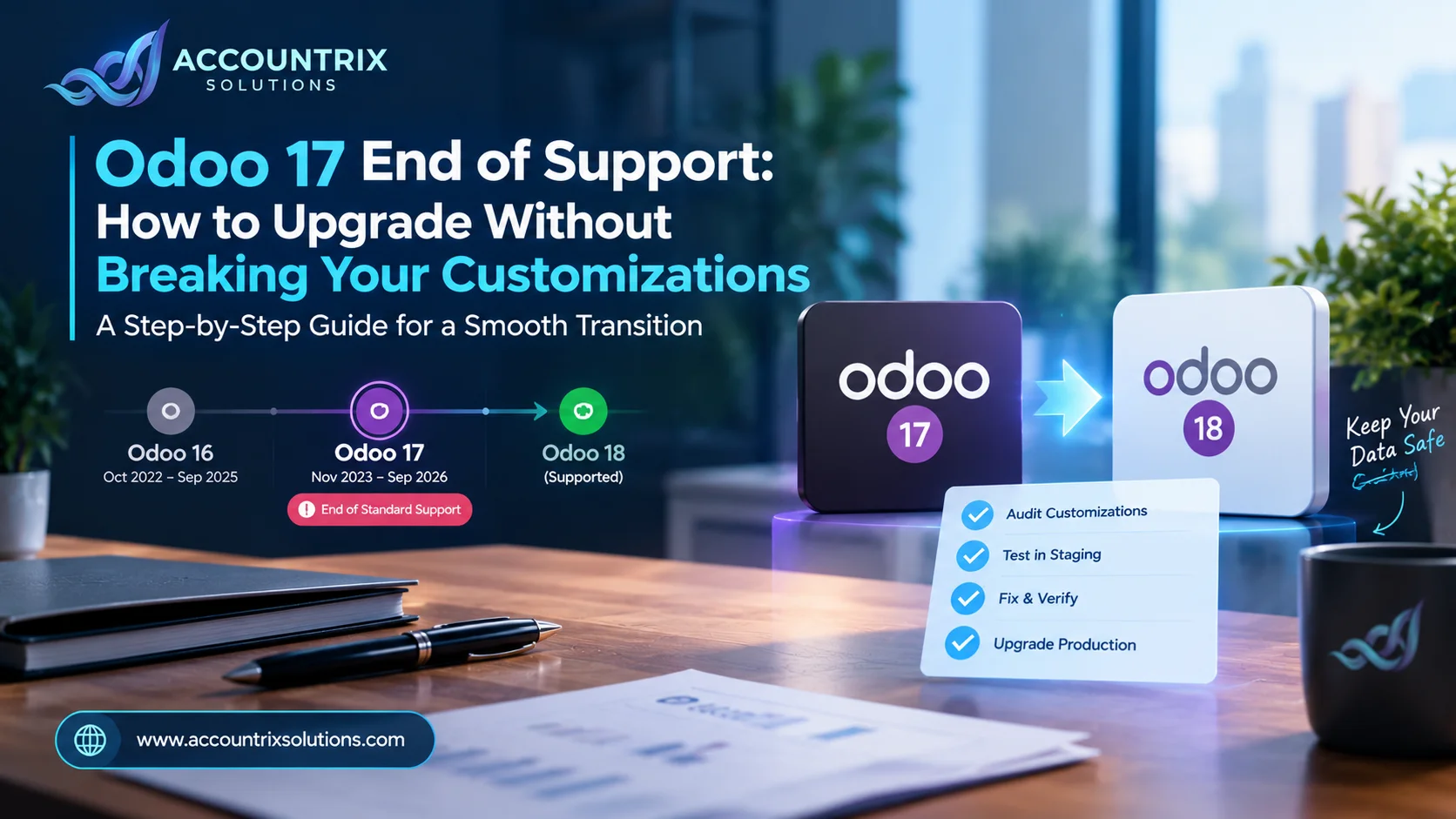
Odoo 17 end of support means Odoo stops providing bug fixes, security updates and helpdesk help for that version under standard support. Your database keeps running, but fixes no longer arrive. The safest move is to upgrade to a supported version, and the way to do it without breaking customizations is to audit every custom piece first, test on a copy, fix the custom code, and only then touch production.
If your business still runs on Odoo 17, this is the year to make a plan. Nothing breaks overnight, but every month without support adds risk, and the longer you wait, the more rushed the upgrade becomes.
This guide explains what Odoo 17 end of support really means, your three options, how the upgrade works on each hosting type, which customizations are most likely to break, and a stage-by-stage plan you can follow. It is written for owners and finance leads, with enough detail for your developers to act on.
What does Odoo 17 end of support mean?
Odoo supports every major version in two phases. Standard support lasts three years from release and includes helpdesk support, bug fixes and security updates. After that, extended support is available for an extra fee, as Odoo's support documentation explains. Odoo 17 was released in November 2023, which puts the end of standard support in September 2026.
In practice, the end date changes a few things:
- Your system keeps running. Nothing switches off on the end date.
- Bugs stop being fixed for that version under standard support.
- Security issues stop being patched under standard support, which matters most for a system that holds financial and customer data.
- Odoo's helpdesk no longer covers questions about that version.
- Apps and connectors move on. Third-party apps tend to target newer versions first.
Odoo's support page also says you can upgrade from any version to any major version that is still under standard support, or that ended less than six months ago. In other words, the version you move to must be a supported one, so aiming at Odoo 17 or older makes no sense. You can read the rule on Odoo's version 17 support page.
Your three options
Upgrade to a supported version
You move to a major version that is still under standard support and keep receiving fixes and security updates. This is the path most businesses should take.
Best for: Anyone planning to use Odoo for years.
Pay for extended support
Odoo offers extended support for an extra fee. Its documentation says this is available only on Odoo.sh (for a limited number of versions) and on-premise, and fixes are provided where technically feasible.
Best for: A short bridge while you prepare a careful upgrade.
Stay on Odoo 17 without support
Possible, because the software keeps running. You carry the security and compatibility risk yourself.
Best for: Almost nobody, and certainly not a business with financial data.
Extended support buys time, but it does not solve the underlying problem. If you choose it, set an upgrade date at the same time.
Why waiting makes the upgrade harder
It is tempting to treat the end date as a soft deadline. The trouble is that upgrades get harder, not easier, as time passes.
- More distance between versions. Each new major version changes more under the hood, so custom modules written for Odoo 17 need more rework the further you jump.
- Less room to test. A calm upgrade needs time for a test copy, code fixes and sign-off. A rushed one skips steps.
- Third-party apps may fall behind. If a vendor has not released a version for your target, the upgrade has to wait for it.
- Security exposure grows. Every month without patches leaves your financial data a little less protected.
Starting while you still have a working, stable system gives you the calm version of this project.
How an Odoo upgrade works on each hosting type
The steps are similar everywhere, but the tools differ. One rule never changes: test the upgrade on a copy first. Odoo's upgrade guide lays out the same sequence for every hosting type.
Odoo Online
You start from your database manager and request a test upgrade before committing. Odoo strongly recommends testing first, then checking the upgraded copy for differences.
Odoo.sh
Odoo.sh is built into the upgrade platform. You run a test upgrade from the Upgrade tab, and the platform can update your custom modules when the upgraded database is restored, as long as their code already works on the new version.
On-premise
You request an upgraded test database from Odoo's upgrade platform, either from the command line on your server or through its Upgrade page. Then you restore it and update your custom modules yourself.
Whatever you use, the test copy comes with an upgrade report. It lists what changed and flags things like disabled views, which is where many customization problems show up first.
Which customizations are most likely to break?
Not every customization carries the same risk. This is our rule of thumb. The more code involved, the more work the upgrade needs.
If your database contains custom modules, it cannot be upgraded until a version of those modules exists for the target version. Odoo recommends doing both at once: request a test upgrade while a developer updates the custom code. The guide to upgrading a customized database explains how.
The 7 stages to upgrade without breaking your customizations
Treat each stage as a gate. Do not move on until the gate is passed. It feels slower, but it is the fastest way to avoid a failed go-live.
Inventory what you have
- List every custom module, Studio change, custom report and integration
- Note who uses each one and why it exists
- Add third-party apps and the versions they run on
Every item has an owner and a clear answer to "do we still need this?"
Choose the target version and path
- Check Odoo's support table for versions still under standard support
- Read the release notes for the version you are considering
- Confirm your third-party apps support it
- Confirm your hosting type and which upgrade tool applies
Target version and timeline are agreed, and the budget is known.
Retire what you no longer need
- Compare each customization with features that now exist in standard Odoo
- Uninstall custom modules nobody uses
- Replace simple custom work with standard settings where possible
The custom list is shorter, and every item left has a good reason to exist.
Request a test upgrade
- Request an upgraded test database before you change any code
- Read the upgrade report line by line
- Remember that a test upgrade never touches production
You have an upgraded copy and a list of every issue the report raised.
Make custom modules work on the new version
- Install each custom module, one by one, in an empty database of the new version, and fix every error and warning. This is Odoo's own advice
- Write migration scripts where data structures changed
- Update the modules on the upgraded test copy
All modules install cleanly, and the upgraded copy loads without errors.
Test real workflows
- Walk through sales to invoice to payment, and purchase to bill to payment
- Check inventory moves, reports, permissions and portals
- Run every integration end to end
Each process owner signs off on their own area.
Plan the cutover and upgrade production
- Freeze changes and take a fresh backup
- Repeat the test upgrade on current data
- Upgrade production outside working hours, then run a short smoke test
- Keep a rollback plan ready and watch closely for the first week
Production passes the same checks the test copy passed.
Accounting checks after the upgrade
An upgrade can pass every technical test and still shift a financial number. Because Odoo holds your books, finance should run its own checks on the upgraded copy before go-live, and again on production.
Compare before and after at the same date. The two should match exactly.
Aged balances and open items should match line by line.
Run a recent return period on both versions and compare.
Reconciled and unreconciled items should be unchanged.
Stock quantities and values should match the old system.
Exchange rates, multi-currency balances and period locks should be intact.
These are the same tie-out ideas we use for any move between systems. If you would like an accountant to run them, our Odoo bookkeeping team can compare the upgraded numbers with the old ones.
Are you ready to upgrade? A five-question check
If you answered no to two or more, bring in help before you pick a date. Our Odoo migration services cover the upgrade itself, including test copies, upgrade reports and the production cutover.
When custom modules need rework or retiring, that is where our Odoo customization services come in. Connections to your store, payment tools or other software get retested and rebuilt through our Odoo integration services, so nothing is left pointing at the old behavior.
Frequently asked questions
▾When does Odoo 17 end of support happen?
Odoo lists September 2026 as the end of standard support for Odoo 17, which was released in November 2023. Some dates in the table are marked as planned, so check Odoo's support page for the current one.
▾Will Odoo 17 stop working?
No. The software keeps running. What ends is bug fixing, security updates and helpdesk support under standard support.
▾What is extended support?
It is an extra-fee extension after the three years of standard support. According to Odoo, it is available on Odoo.sh for a limited number of versions and on-premise for any version, and it is not offered for the intermediate online versions.
▾Can I skip versions when I upgrade?
Yes, Odoo says you can upgrade from any version to a major version that is still under standard support. The catch is your custom code. The further you jump, the more your custom modules have to change.
▾How long does an Odoo upgrade take?
It depends on your database, your custom modules and how much testing you do. The platform's test upgrade is usually the quick part. Most of the time goes into fixing custom code and testing real workflows.
▾Do I need to upgrade if I only use standard Odoo?
Yes, for the same support and security reasons, but the job is simpler. You still request a test upgrade and check your workflows and accounting numbers before touching production.
▾Which version should I upgrade to?
Choose a major version that is still under standard support and that your third-party apps support. Check Odoo's release notes and support table for what is current when you plan.
Final thoughts
Odoo 17 end of support is not an emergency, but it is a deadline you only control if you start early. Audit your customizations, test on a copy, fix the custom code, check the accounting numbers, and upgrade production last.
If you want an expert to take the upgrade off your plate, talk to the team at Accountrix Solutions. We will review your customizations, tell you honestly what the upgrade involves, and plan it with you.
Top Category
- Blog (12)
Recent Posts
Bookkeeping vs Accounting: Which Does Your Business Need?
Odoo Studio vs Custom Module: Which One Should You Use?
Popular Tag
Related Articles
Bookkeeping vs Accounting: Which Does Your Business Need?
-
October 14, 2026
-
3 Views
Monthly Bookkeeping Checklist for Small Businesses: Monthly, Quarterly and Year-End
-
October 13, 2026
-
2 Views
Odoo Studio vs Custom Module: Which One Should You Use?
-
October 13, 2026
-
3 Views
Leave a comment