• Home
  • About Us
  • Services
    Odoo Implementation

    At Accountrix Solutions, we provide reliable Odoo implementation services that align Odoo...

    Odoo Customization

    we understand that every business follows different processes and faces unique...

    Odoo Integration

    Odoo is a free ERP system with various business apps to assist with different operational needs. Powerful...

    Odoo Migration

    Looking to upgrade or switch your Odoo ERP version without losing critical data...

    Digital invoicing

    Generate, dispatch, and monitor invoices promptly – designed for enterprises...

    Odoo Bookkeeping

    Managing your finances doesn’t have to be overwhelming. Our Odoo accounting and bookkeeping...

    Quickbooks Bookkeeping

    At Accountrix Solutions, we tailor our QuickBooks bookkeeping services around your unique...

    Zoho Bookkeeping

    Balancing your finances in Zoho Books alongside managing your business can be overwhelming. That is where...

  • Blog
  • Contact Us
LEt's talk

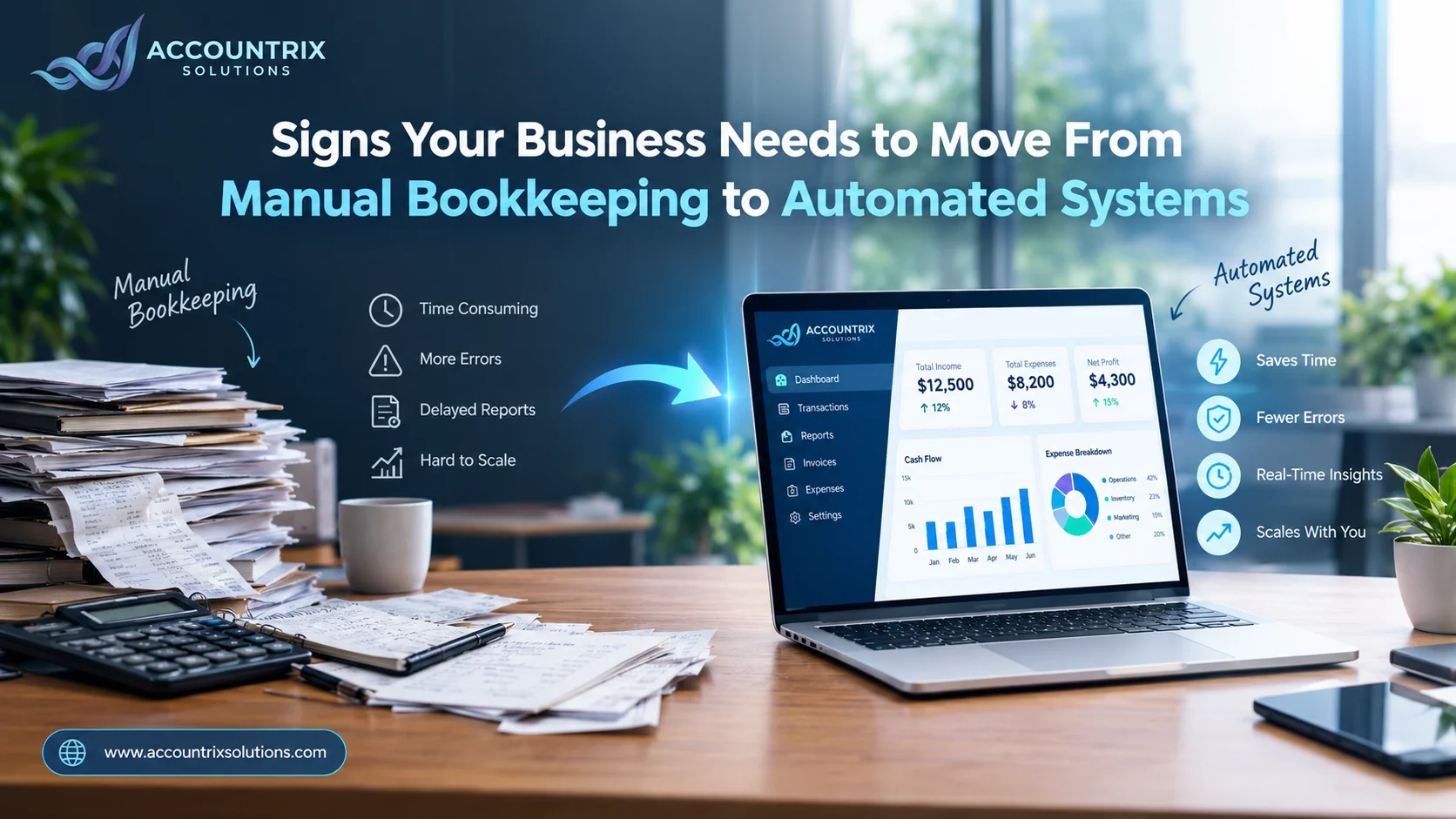
Signs Your Business Needs to Move From Manual Bookkeeping to Automated Systems

HomeBlogSigns Your Business Needs to Move From Manual Bookkeeping to Automated Systems
Signs Your Business Needs to Move From Manual Bookkeeping to Automated Systems
  • October 7, 2026
  • Blog
  • 8 Views

Signs Your Business Needs to Move From Manual Bookkeeping to Automated Systems

⚡ Quick answer

Your business is ready to move from manual bookkeeping to automated systems when you are spending several hours a week on data entry, catching the same errors repeatedly, waiting too long to see accurate numbers, or struggling to keep up as transaction volume grows. If two or more of these sound familiar, automated bookkeeping will likely save you more than it costs.

If you are asking whether it is time to move your business off manual bookkeeping, there is a good chance the answer is already yes. Most business owners do not switch the moment they should. They switch months later, after a missed invoice, a reconciliation that took an entire weekend, or a tax season that felt far more stressful than it needed to be, usually after telling themselves for a while that things would get easier on their own.

This guide walks through the clearest signs that manual bookkeeping has stopped working for your business, what automated bookkeeping actually changes day to day, and how to choose the right setup once you decide to make the move. None of this requires guessing. The signs tend to be fairly consistent across businesses, which makes them easy to check against your own operations honestly.

Why this decision matters more than it seems

Manual bookkeeping is not inherently wrong. Plenty of very small businesses run on it just fine for years, and there is nothing wrong with starting there. The problem is not the method itself, it is outgrowing it without noticing, since the shift tends to happen gradually rather than all at once, one extra client or one extra product line at a time, until the system that used to work quietly stops.

Research from McKinsey found that employees spend roughly 45 percent of their working time on manual tasks that could realistically be automated, source: McKinsey & Company. Bookkeeping, with its repetitive data entry and recurring monthly tasks, sits squarely inside that category for most small businesses.

60%
of small business owners spend more than 10 hours a month on bookkeeping, per ZipDo research
40%
of small businesses have experienced financial errors caused by manual bookkeeping
73%
of SMEs that switched to digital bookkeeping reported increased efficiency afterward

These figures come from aggregated small business bookkeeping research published by ZipDo, and they line up with what most business owners already sense but rarely stop to measure.

9 signs it is time to automate your bookkeeping

1
You are spending hours each week just on data entry
If keeping your books updated is eating into evenings or weekends, that is time directly taken away from running the business. Manual entry typically takes several minutes per transaction, and that adds up fast once volume grows past a handful of transactions a day. What feels manageable at ten transactions a week can quietly become a part time job once that number climbs into the hundreds.
2
The same types of errors keep showing up
Transposed numbers, missed transactions, or expenses filed under the wrong category are common in manual systems, not because anyone is careless, but because repetitive manual entry is where small mistakes naturally creep in, especially late in the day or during busy weeks. According to Caseware, even experienced staff working manually tend to carry an error rate that compounds over time as more transactions are processed by hand.
3
Reconciliation takes days instead of minutes
If matching your bank statement to your books is a multi day event every month, something upstream is working harder than it needs to. Automated systems that connect directly to your bank can often reconcile transactions in real time, instead of in a once a month scramble.
4
You cannot get an accurate financial snapshot quickly
When a simple question like how much cash do we actually have right now takes more than a few minutes to answer, your books are not giving you what they are supposed to. Delayed visibility into your own numbers makes it harder to catch problems early, not just harder to report on them later, since a cash flow issue is far easier to fix when you spot it in week one instead of discovering it a month after the fact.
5
Your transaction volume has grown past what manual tracking can handle
A business processing 20 transactions a month and one processing 2,000 are not using the same bookkeeping method successfully. If your volume has grown significantly since you first set up your books, the method that worked at the start may simply no longer fit the business you run today.
6
You are duplicating work across spreadsheets and tools
Re entering the same sale, expense, or invoice into more than one place is a clear signal that your systems are not talking to each other. Every duplicate entry is also another chance for the two records to quietly drift apart, and tracking down which version is actually correct later costs far more time than entering it correctly once would have.
7
Tax season feels like a fire drill every single year
If preparing for taxes means weeks of digging through receipts and reconstructing missing records, your bookkeeping is not actually keeping pace with your business throughout the year. Clean, current books should make tax season a formality, not an emergency.
8
You are making decisions on outdated numbers
Pricing, hiring, and spending decisions based on last month's picture, rather than this week's, is risky once a business has any real complexity. Manual systems almost always lag behind real time, and that lag becomes more expensive as the business grows, since a bigger business naturally has more decisions riding on numbers that need to be current rather than weeks old.
9
You have started avoiding your own books
This one is less technical but just as telling. If you find yourself putting off bookkeeping because it feels overwhelming or unpleasant, that avoidance usually means the system has become too much to manage manually, not that you have become bad at running a business.

A quick scenario worth recognizing

Consider a small service business that started with a handful of clients and a simple spreadsheet. Tracking a few invoices a month took no real effort, and the owner handled it personally between other tasks without much friction.

Two years later, the client list has tripled, there are recurring subscriptions, one off projects, and a part time contractor to pay. The same spreadsheet is still technically working, but updating it now takes several hours every week, mistakes are easier to miss, and the owner has started dreading the monthly reconciliation instead of simply doing it.

Nothing about this business did anything wrong. It simply grew past the point where its original bookkeeping method could keep up, which is exactly the pattern behind most of the nine signs above.

Manual bookkeeping vs automated systems

Manual Bookkeeping
  • Data entry
    Typed in by hand, transaction by transaction
  • Error exposure
    Rises with transaction volume
  • Reconciliation
    Often a monthly, time heavy task
  • Financial visibility
    Delayed, often weeks behind
  • Scalability
    Gets harder as the business grows
  • Owner time required
    High and ongoing
VS
Automated Systems
  • Data entry
    Pulled automatically from connected accounts
  • Error exposure
    Reduced through automated matching and rules
  • Reconciliation
    Frequently updated in real time or daily
  • Financial visibility
    Current, available on demand
  • Scalability
    Scales with the business with little added effort
  • Owner time required
    Lower once the system is set up properly

What moving to automated bookkeeping actually involves

The idea of switching systems can sound more disruptive than it actually is, and a lot of business owners delay the decision simply because they picture it as a bigger project than it usually turns out to be. In practice, it usually follows a predictable path.

1
Review your current records to understand what needs to be cleaned up before the move
2
Choose the right platform for your business, whether that is QuickBooks, Zoho Books, or a connected Odoo setup
3
Connect your bank accounts and key tools so data starts flowing in automatically
4
Set up categorization rules so recurring transactions sort themselves correctly
5
Run a short overlap period to confirm the new numbers match your old records
6
Hand ongoing management to a bookkeeper who understands the new system

The heaviest lifting happens once, during setup. After that, the system is designed to carry most of the weekly workload on its own.

Choosing the right automated setup for your business

Not every business needs the same solution, and the right starting point depends on how your operations actually run day to day, not on which platform happens to be the most talked about. The goal is matching the tool to your business, rather than reshaping your business around a tool that does more than you need.

If your needs are mainly financial, a dedicated bookkeeping setup on a platform you already use is usually the fastest path. Our QuickBooks bookkeeping services and Zoho bookkeeping services are both built for businesses that want accurate, automated books without changing how the rest of the business operates.

If your business also manages inventory, multiple departments, or production alongside its finances, a connected setup through Odoo bookkeeping tends to offer far more long term value, since accounting stays linked to the rest of your operations instead of sitting in a separate tool. For businesses planning a fuller rollout, proper Odoo implementation services ensure that transition is handled correctly from day one.

Why this shift is accelerating in 2026

Bookkeeping automation is not a new idea, but the pace of adoption has picked up noticeably. More banks now offer direct, reliable data feeds, and accounting platforms have gotten better at automatically categorizing transactions correctly on the first pass rather than needing constant manual correction. Businesses that automated a few years ago are seeing more value from it than earlier adopters did, simply because the tools themselves have matured.

This also means the gap between manually tracked books and automated ones keeps widening. A business still relying on spreadsheets in 2026 is not just missing out on convenience. It is increasingly working with a noticeably slower, more error prone process than competitors who made the switch.

Frequently asked questions

QIs automated bookkeeping only for larger businesses?
No. Automation tends to help small businesses the most, since owners are often handling bookkeeping themselves on top of everything else. The time saved has a bigger relative impact when there is no dedicated finance team absorbing the manual workload.
QWill I lose control over my own financial data?
No, the opposite tends to happen. Automated systems generally give owners more visibility into their numbers, not less, since data is current and accessible at any time instead of locked inside a spreadsheet only one person updates.
QHow long does switching to automated bookkeeping usually take?
For most small businesses, a properly managed switch takes a few weeks from initial setup to full confidence in the new numbers. Businesses with more complex records or higher transaction volume should expect a longer transition.
QWhat if my records are messy right now?
That is common, and it is not a reason to delay. Cleaning up historical records is typically the first step of any proper transition, not something you need to finish on your own beforehand.
QDo I still need a bookkeeper once everything is automated?
Yes, and this is a common misconception. Automation handles the repetitive data entry, but a bookkeeper still reviews the work, catches anything unusual, and makes sure your books are actually being interpreted correctly, not just recorded correctly.

Final thoughts

Most businesses do not wake up one day and decide to automate their bookkeeping. They notice, slowly, that the manual system they started with no longer matches the business they are running now. If two or more of the signs above sound familiar, that is usually the clearest indicator that the switch is overdue rather than premature.

If you are ready to move from manual bookkeeping to automated systems, get in touch with Accountrix Solutions and we will help you figure out the right setup for how your business actually operates.

Leave a comment Cancel reply

Top Category

  • Blog (12)

Recent Posts

Bookkeeping vs Accounting
October 14, 2026

Bookkeeping vs Accounting: Which Does Your Business Need?

Monthly Bookkeeping Checklist for Small Businesses
October 13, 2026

Monthly Bookkeeping Checklist for Small Businesses: Monthly, Quarterly and Year-End

Odoo Studio vs Custom Module
October 13, 2026

Odoo Studio vs Custom Module: Which One Should You Use?

Popular Tag

Odoo Upgrade Odoo

Related Articles

Bookkeeping vs Accounting: Which Does Your Business Need?

  • Blog
  • October 14, 2026
  • 3 Views
Bookkeeping vs Accounting

Monthly Bookkeeping Checklist for Small Businesses: Monthly, Quarterly and Year-End

  • Blog
  • October 13, 2026
  • 3 Views
Monthly Bookkeeping Checklist for Small Businesses

Odoo Studio vs Custom Module: Which One Should You Use?

  • Blog
  • October 13, 2026
  • 4 Views
Odoo Studio vs Custom Module

ACCOUNTRIX SOLUTIONS

Transforming workflows with tailored digital and accounting solutions.

Know More
Contact US

Get Started

  • Home
  • About Us
  • Blog
  • Contact

Odoo Services

  • Odoo Implementation
  • Odoo Customization
  • Odoo Integration
  • Odoo Migration

Bookkeeping Services

  • Digital invoicing
  • Odoo Bookkeeping
  • Quickbooks Bookkeeping
  • Zoho Bookkeeping

© 2026 All Rights Reserved | Designed by Ruman

Facebook Twitter Google-plus