
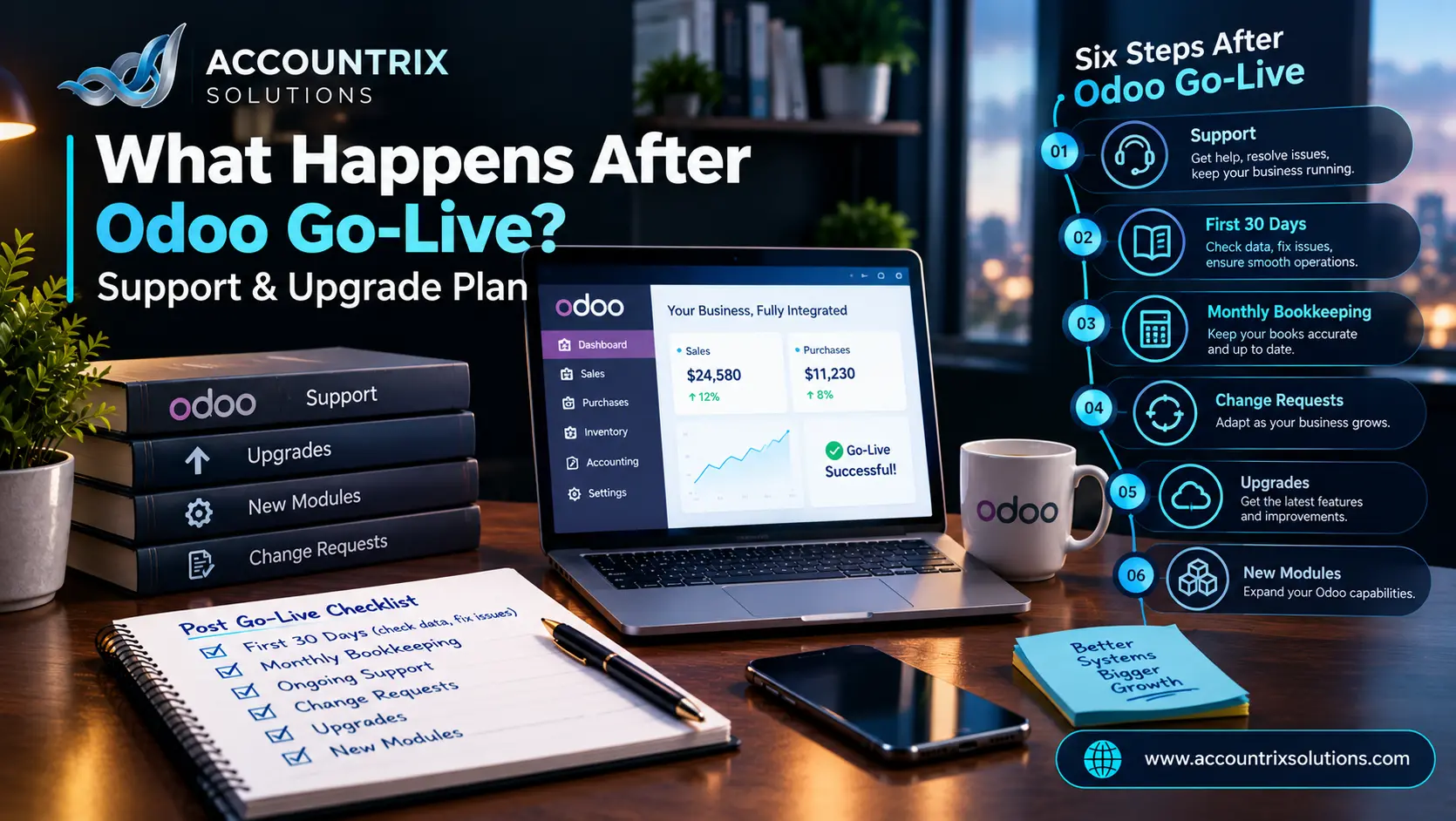
After Odoo go-live, five jobs begin: support, bookkeeping, change requests, upgrades, and adding new tools or modules. The project is over, but the system is not finished, and most trouble in the first year comes from nobody owning these five jobs. This checklist covers what to do in the first 30 days, what to check every day, week and month, how to decide on new requests, and when to upgrade. It works whether you run Odoo Online, Odoo.sh or your own server.
StabilizeThe first 30 days after Odoo go-live
On day one, the project team steps back and your real work starts running through the system. Expect questions you never had in testing: why a payment does not match, why a user cannot see a menu, why a report shows a different total than the old system. That is normal. What matters is that every question is written down and answered, not patched in a chat message and forgotten.
If you can, keep the old system available in read-only mode for a few months. It is your reference when a balance in Odoo looks wrong.
SupportWho supports what: Odoo, your partner and your team
Three groups share the work. Mixing them up is why requests bounce around for weeks.
| Who | What they cover | Typical example |
|---|---|---|
| Odoo | Standard support under the subscription: help desk, bug fixing and security updates for supported versions. | A bug in standard code, or a security patch. |
| Your Odoo partner | Setup changes, customizations, integrations, training and accounting review. | “Add an approval step” or “connect our store”. |
| Your team | Daily use and data quality. | Entering bills, approving payments, adding and removing users. |
Before you send a request, sort it into one of three buckets:
- Bug: it should work, but it does not.
- Question: you do not know how to do it. This usually needs training, not a fix.
- Change: you want it to work differently. This needs a decision, and often a price.
Writing the bucket on every ticket saves days of back and forth.
BookkeepingThe Odoo bookkeeping checklist after go-live
Good habits form in the first three months. Use this cadence from the start:
- Sync or import bank lines
- Post customer invoices and vendor bills
- Look for stuck or failed payments
- Reconcile bank and card accounts
- Review aged receivables and call late payers
- Check bills due in the next two weeks
- Finish reconciliation and check the suspense account
- Review tax payable
- Compare stock value to the books
- Close and lock the period
- Compare tax and payroll filings with reports
- Review user access
- Review fixed asset entries
- Close the fiscal year
- Send reports to your accountant
- Export 1099 data if you pay contractors
The monthly lane is where most companies slip, because nobody is sure who owns it. Our Odoo bookkeeping team can run the monthly close for you, or review your first few closes with you so your own team can take over with confidence.
AccessKeep users, access and backups under control
- Give every person their own login, with only the access rights their job needs. Avoid shared accounts.
- Remove access on the day someone leaves, and review all users every quarter.
- Turn on two-factor authentication for administrators and anyone with accounting access.
- Know where your backups are kept and for how long. Odoo.sh keeps daily automatic backups. On your own server, backups are your job.
- Test a restore at least once a year. A backup you have never restored is only a hope.
New requests: configure, customize or leave alone
After go-live, every department sends a list of “small changes”. Take each one through these steps in order, and stop at the first one that solves it:
Many requests are settings: a new tax, a payment term, a report filter. This is the cheapest option, and it survives upgrades.
Extra fields, changed views and simple automated actions. Keep a list, because each one has to be tested at every upgrade.
Only for logic Odoo does not offer. It costs the most, and it must be tested or reworked for every new version.
Two facts matter before you reach step three. Odoo’s upgrade documentation says a database with custom modules cannot be upgraded until a version of those modules exists for the target version. And Odoo Online does not allow custom modules that contain Python files. So each custom module adds cost to every future upgrade and can limit where you host.
Ask four questions before you approve a change: how many people will use it, how often, what does the manual work cost today, and what breaks if we skip it. If you are unsure whether a setting or an existing app already does the job, our Odoo customization services team can check that before you commission any code.
ToolsAdding new tools: integrations that keep working
A store, a payment gateway, a shipping tool, a bank feed: each new connection is a new place where data can go wrong quietly. Before you add one:
- Name an owner for the connection.
- Decide which system holds the master record for customers, products and prices.
- Test it on a copy of the database first.
- Set up error alerts, so a failure does not stay silent.
- Write down where the credentials are stored.
- Re-test the connection after every Odoo upgrade and every update of the other tool.
If the tool has no standard connector, our Odoo integration services team can build and monitor the link, so orders, payments and stock stay in step.
ModulesAdding new modules as the business grows
Adding an app is a small project, even when it is a standard Odoo app. Inventory changes how stock reaches your accounts. Manufacturing changes costing. Subscriptions change how revenue is recorded. Follow these rules:
- Add one module at a time.
- Agree on the new process on paper before you configure anything.
- Configure and test on a copy of the database.
- Train the users before launch, not after.
- Start at the beginning of a month, so reports stay clean.
- Review the effect on accounts, taxes and valuation.
For bigger modules such as inventory or manufacturing, our Odoo implementation services team can plan and roll them out the way a full project would run.
VersionsStaying on a supported Odoo version
Odoo provides standard support for each major version for three years, and that covers help desk support, bug fixing and security updates. After that, extended support costs an extra fee. Intermediary “SaaS” versions are released only on Odoo Online. The Odoo docs keep the current table, and this is what it showed when we wrote this guide:
| Version | Released | End of standard support (planned) |
|---|---|---|
| Odoo 19.0 | September 2025 | September 2028 |
| Odoo 18.0 | October 2024 | September 2027 |
| Odoo 17.0 | November 2023 | September 2026 |
Dates can change, so check the current table before you plan. As a rule of thumb, upgrade every two to three years, before support ends and not after.
UpgradeHow to run an Odoo upgrade without surprises
Odoo strongly recommends that you request an upgraded test database first and spend real time testing it. Production is unavailable while the final upgrade runs, so there is no room to learn on the day. Follow this order, and read the full Odoo upgrade docs for your hosting type:
- Check your version and its end-of-support date.
- List everything custom: modules, Studio changes, automations and integrations.
- Confirm that every custom module has a version for the target release.
- Request an upgraded test database.
- Test invoices, payments, bank lines, taxes, reports, integrations and user rights. Compare the trial balance, receivables, payables, tax payable and stock value with production.
- Rehearse on a copy and time it, so you know how long production will be down.
- Upgrade production in a quiet window, never during month-end.
- Re-test the integrations, watch the system for a week, and report any issue to Odoo support.
Upgrade now or stay put?
| Stay a while if | Upgrade soon if |
|---|---|
| Your version has more than a year of support left | Support ends within a year |
| You have few or no customizations | Customizations are getting expensive to keep working |
| Your key processes already run smoothly | A newer version has a feature you need now |
| Your finance team is mid-audit or mid-year-end | A tool you integrate with no longer supports your version |
If you do upgrade, our Odoo migration services team plans it with test runs and balance checks, so your history and open items carry over cleanly.
Health checkA 10-point Odoo health check
Tick what is true today:
- Every user has their own login, and former staff are removed.
- Bank accounts are reconciled to the last month-end.
- The suspense account is empty or explained.
- Aged receivables and payables are reviewed every week.
- Tax payable matches your latest return.
- A backup exists, and a restore was tested this year.
- Every customization has an owner and a written purpose.
- Every integration has an owner and error alerts.
- You know your version and its end-of-support date.
- Requests are logged and sorted into bug, question or change.
When to bring in a partner
You can run a small, standard Odoo database with a careful internal owner. Ask for help when month-end closes keep slipping, nobody owns bank reconciliation, requests pile up unsorted, or an upgrade date is getting close and you do not know what is custom. If that sounds like your team, talk to our team and we will tell you honestly where to start.
FAQFrequently asked questions
What happens after Odoo go-live?
The project team steps back and your real transactions run through Odoo. Five jobs begin: support, bookkeeping, change requests, upgrades, and adding tools or modules. The first month is for daily checks, fixing data and access problems, and completing the first full close.
How long does stabilization take after go-live?
Plan on the first month for daily checks and the first full close. Many companies need two or three closes before the routine feels normal, so keep a shared issue list until then.
Who provides support after Odoo go-live?
Odoo provides standard support under the subscription: help desk, bug fixing and security updates for supported versions. Your partner handles configuration changes, customizations, training and accounting review, and your own team handles daily use and data.
How often should I upgrade Odoo?
Each major version gets three years of standard support, so plan to upgrade every two to three years, before support ends. Extended support after that costs extra.
Do customizations make Odoo upgrades harder?
Yes. A database with custom modules cannot be upgraded until a version of those modules exists for the target version, and every custom module adds testing and rework to each upgrade.
What should I check in Odoo every month?
Finish bank reconciliation, check the suspense account, review tax payable and aged receivables and payables, compare stock value to the books if you hold inventory, then close and lock the period and review the profit and loss and balance sheet.
Can I add modules after go-live?
Yes. Treat each one as a small project: add one at a time, define the process first, test on a copy of the database, train the users before launch, and review the effect on accounting.
Final thoughts
Go-live is the start of the work, not the end. Give each of the five jobs an owner, follow the daily, weekly and monthly cadence, handle requests in order, and plan upgrades before support ends. A system that is looked after quietly gets better each year, and one that is ignored gets harder to fix. Start with the health check above and fix the lowest score first.
Already live on Odoo and not sure what is being missed? Tell us your version, your hosting and what is customized, and we will point out what to check first.
Tell us how your Odoo runs today





Leave a comment